Opening a second shop is the dream of every ambitious business owner in Nigeria. Whether you are running a successful supermarket in Lagos or a busy pharmacy in Abuja, expansion means you are doing something right. However, the excitement of growth often comes with a major headache: how do you stay in control when you cannot be in two places at once?
If you are currently struggling to track sales in your new branch or worrying about stock disappearing from your second store, you are not alone. Managing multiple locations manually is a recipe for disaster. This is why SaleTick was built to make scaling your business as simple as a few clicks on your phone.
In this guide, we will show you exactly how to add new stores and branches on SaleTick so you can manage your entire empire from one dashboard.
Why You Need A Multi-Branch System
Before we dive into the steps, let’s talk about why this matters for your growth. When you expand to a second or third location, you face several risks:
- Stock Leakage: Goods “disappearing” because nobody is tracking what moved between branches.
- Blind Management: Not knowing which store is making profit and which one is just eating your cash.
- Staff Oversight: Inability to monitor who is selling what in your Alaba branch while you are at your Lekki store.
SaleTick solves these problems by giving you a centralized view of your business. You can see your total sales across all locations or filter by a specific branch to see exactly how it is performing.
Step-By-Step: How To Add A New Branch On SaleTick
Adding a new location on SaleTick is straightforward. Follow these steps to get your new store up and running in minutes:
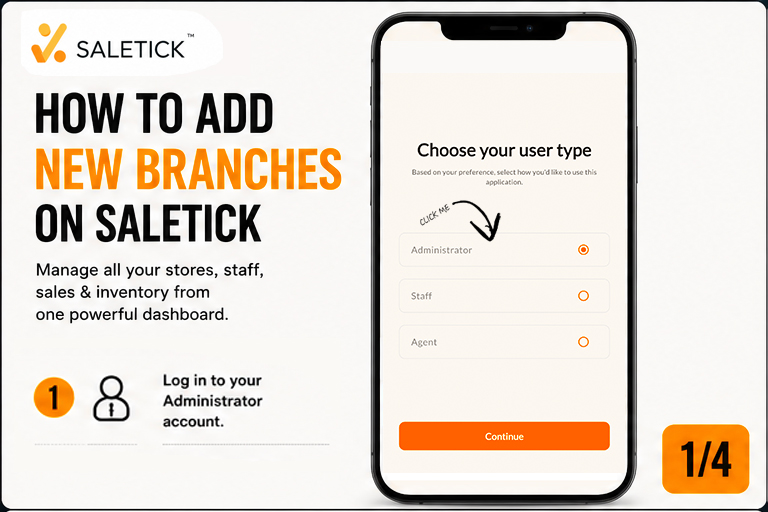
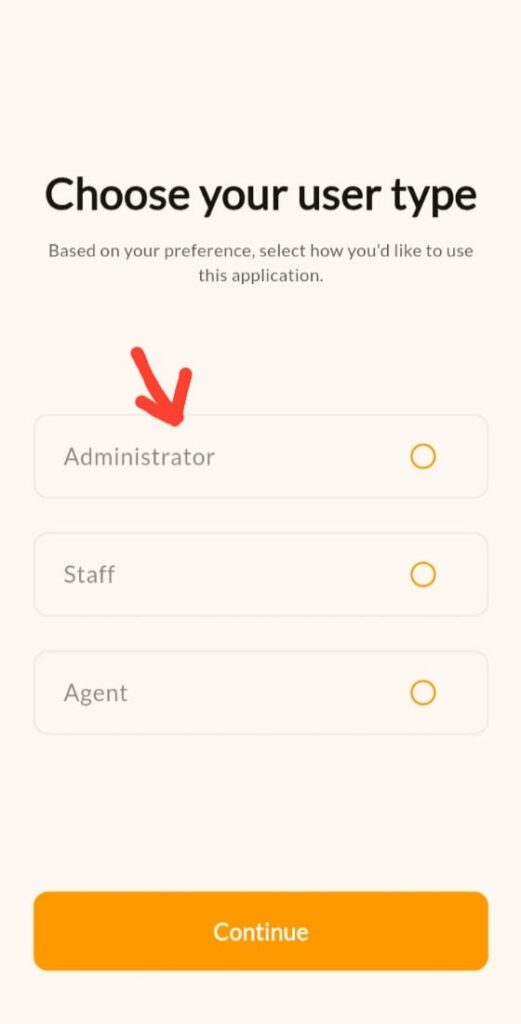
1. Log In To Your Administrator Account: Only the primary business owner or an assigned administrator can add new branches. Log in to the SaleTick app or web dashboard to begin. Click Here to know more about An Administrator Account.
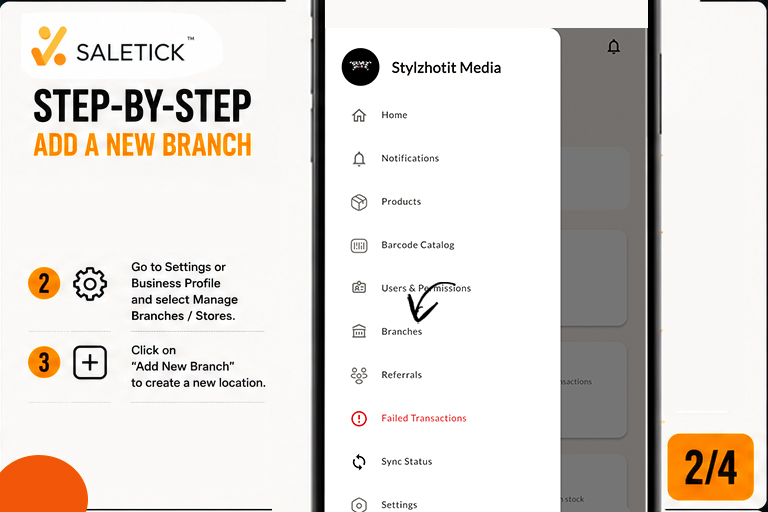
2. Navigate To The Manage Branches Section: From your main dashboard, click on the hamburger menu on the top left of your screen and look for the “Branches” icon and click on it. Inside, you will find the “Manage Branches” or “Stores” option. This is where your business expansion lives.
3. Click On ‘Add Branches’: You will see a list of your existing branches after clicking on the “Branches Menu”. If you are creating another branch for the first time, click the prominent “Add Branches” button at the bottom of the screen. A form will appear asking for the details of your new location.
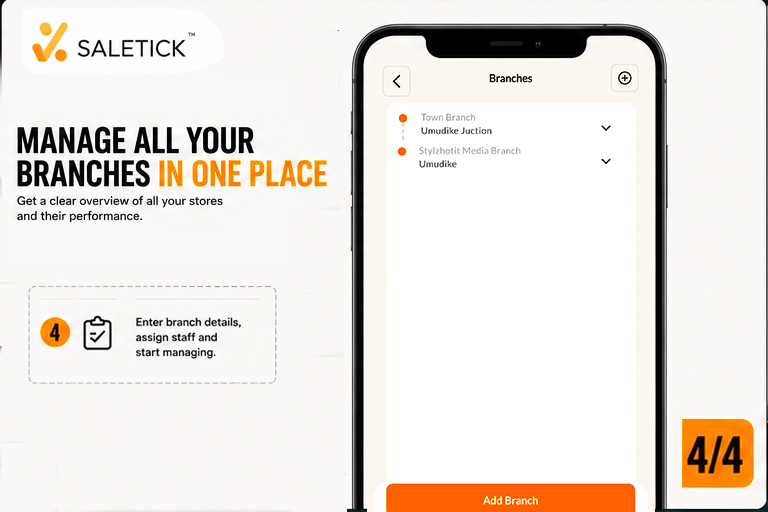
4. Enter The Branch Details: Fill in the specific information for the new store:
- Branch Name: For example, “SaleTick Supermarket – Ikeja Branch.”
- Address: Be specific so you can distinguish between locations.
- City: This is the city where the Branch will be located.
- State: The official State for that specific shop.
- Country: This is the country where your new Branch would be located.
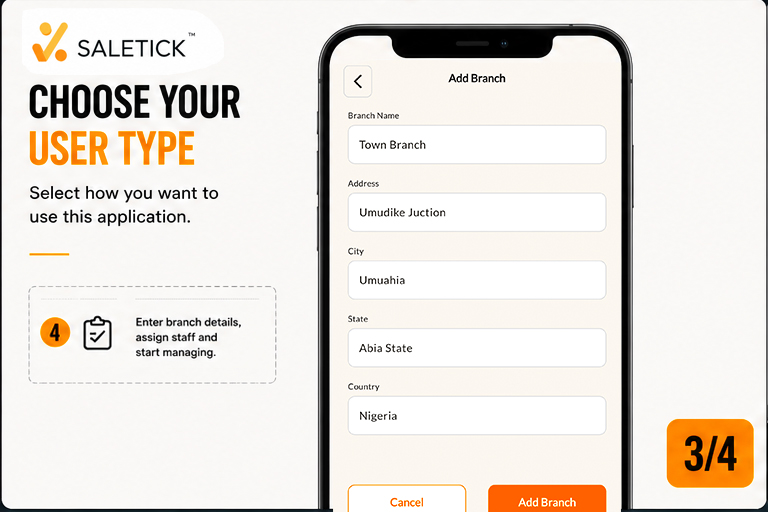
5. Assign Staff And Inventory: Once the branch is created, you can assign specific staff members to it. This ensures that a sales boy in your main shop cannot accidentally log sales for your new branch. You can also move stock from your main warehouse to this new location with a few taps. You can also create multiple branches under your Business.To learn how to Assign Roles and Add Users and Staff, read this article; How to Create Staff Accounts and Assign Roles on SaleTick.
6. Track Performance with Precision: Once your branches are active, use the Finance section to monitor your growth. You can filter by branch to compare revenue, profit, and total items sold over any period. This data is crucial for making informed decisions on where to restock or which branch needs more marketing support.
Practical Example: Moving From One Shop To Three
Imagine you own a boutique in Balogun Market. Business is booming, so you decide to open another branch in Surulere.
Without SaleTick, you would be calling your Surulere manager every hour asking, “How much have we sold?” With SaleTick, you simply add the “Surulere Branch” to your app. Every time they sell a shirt, it reflects on your phone immediately. You can create multiple branches for one business accounts. You can compare the sales in Balogun and Surulere side by side to see which location needs more stock or a new marketing strategy.
The SaleTick Advantage: Growth Without The Headache
SaleTick is not just a sales tracker; it is a growth partner for Nigerian retailers. By moving your business to a digital platform, you stop the guesswork and start making decisions based on real data. Whether you are running a small chemist or a large retail chain, having your branches synced in one place is the only way to scale effectively in today’s market.
Ready to take your business to the next level? Stop the stress of manual bookkeeping and start managing your branches like a professional. Visit www.saletick.net to learn more or download the SaleTick app today to add your first branch.
For more tips on managing multiple shops and avoiding stock loss, watch our latest video on the SaleTick YouTube channel. We break down the best strategies for Nigerian SMEs to stay profitable and organized.