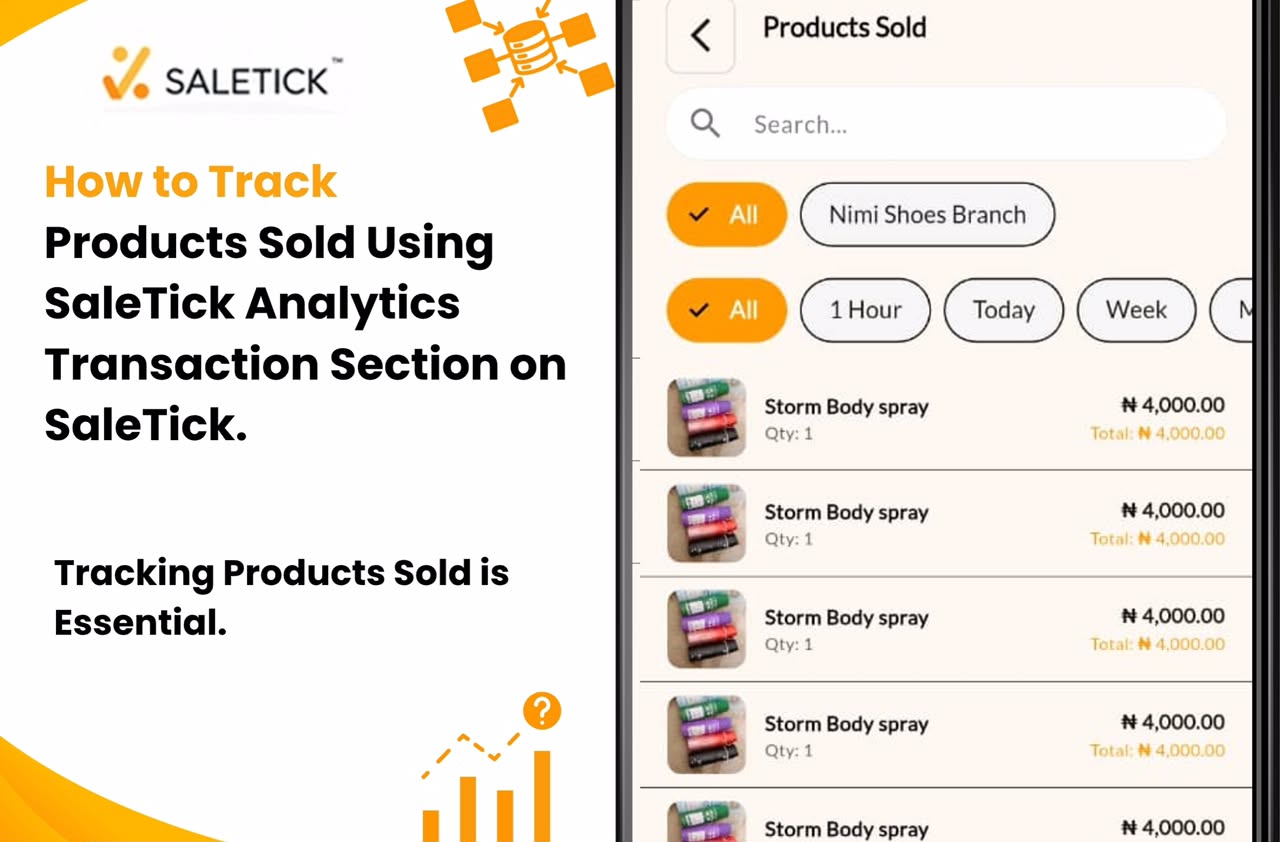
In the competitive world of Nigerian retail, data is your most valuable asset. If you are running a shop, pharmacy, or supermarket, you cannot afford to guess which products are flying off your shelves and which ones are gathering dust.
Tracking products sold is not just about counting items; it is about understanding the heartbeat of your business. With the SaleTick analytics suite, you have a powerful tool to turn raw sales data into actionable growth strategies.
Why Tracking Products Sold is Essential
When you track every product sold, you move from being a shopkeeper to being a business strategist. Accurate tracking allows you to:
- Eliminate Stockouts: Know exactly when to restock your best-selling items before they run out.
- Identify Dead Stock: Spot products that are not moving so you can clear them out and free up your capital.
- Improve Profitability: Understand which items provide the best margins so you can focus your marketing efforts there.
- Prevent Inventory Loss: By comparing what was sold against your initial stock, you can easily identify discrepancies or potential theft.
Navigating the SaleTick Analytics Suite
SaleTick is designed to make complex data simple. You do not need an accounting degree to understand your business performance. Everything you need is located right in your admin dashboard.
1. Accessing Product Sold
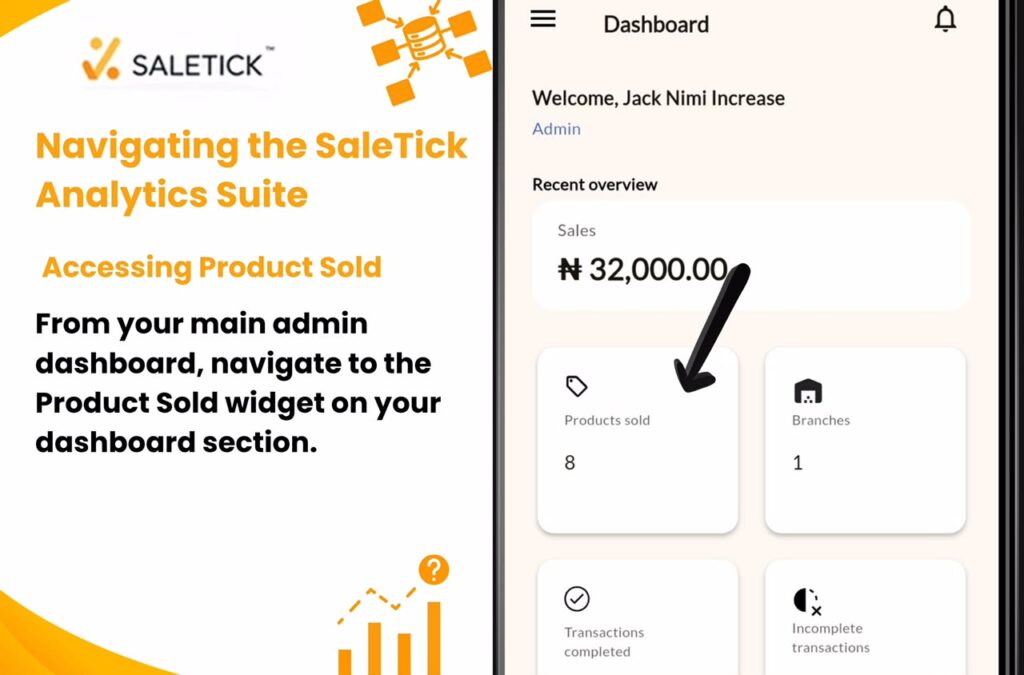
From your main admin dashboard, navigate to the Product Sold widget on your dashboard section. Here, you will find a breakdown of your performance. You can filter these reports by date range, allowing you to see exactly what was sold today, this week, or over the last month.
2. Analyzing Products Sold
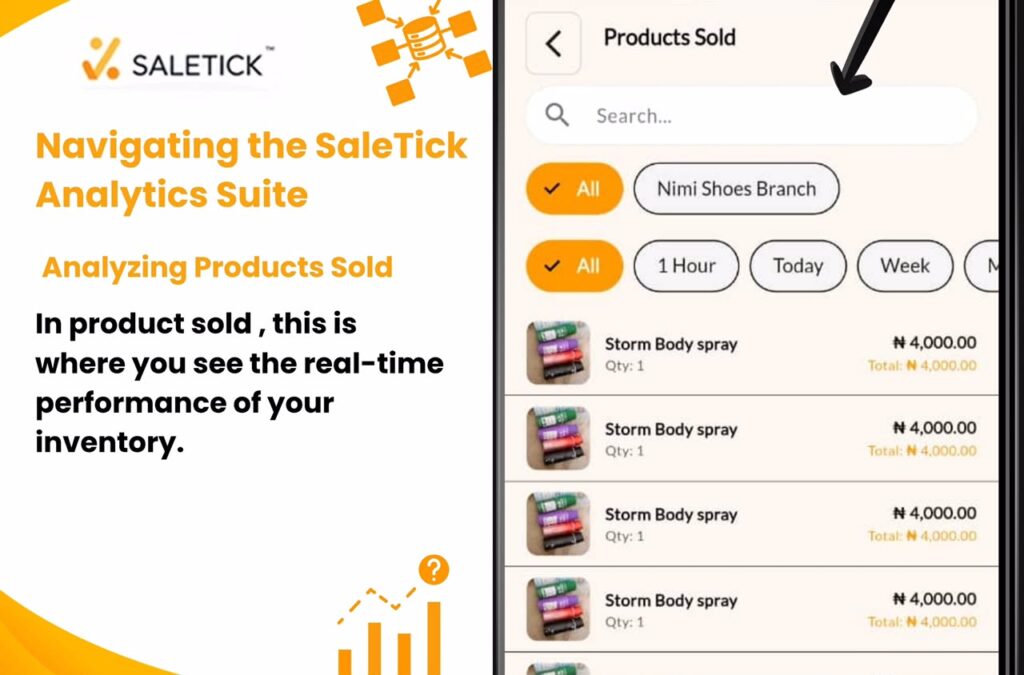
Once in the Products Sold report. This is where you see the real-time performance of your inventory. The report provides a clear list of every item sold, the quantity, and the total revenue generated by that product. This view is critical for identifying your top-performing items at a glance.
3. Using Filters for Deeper Insight
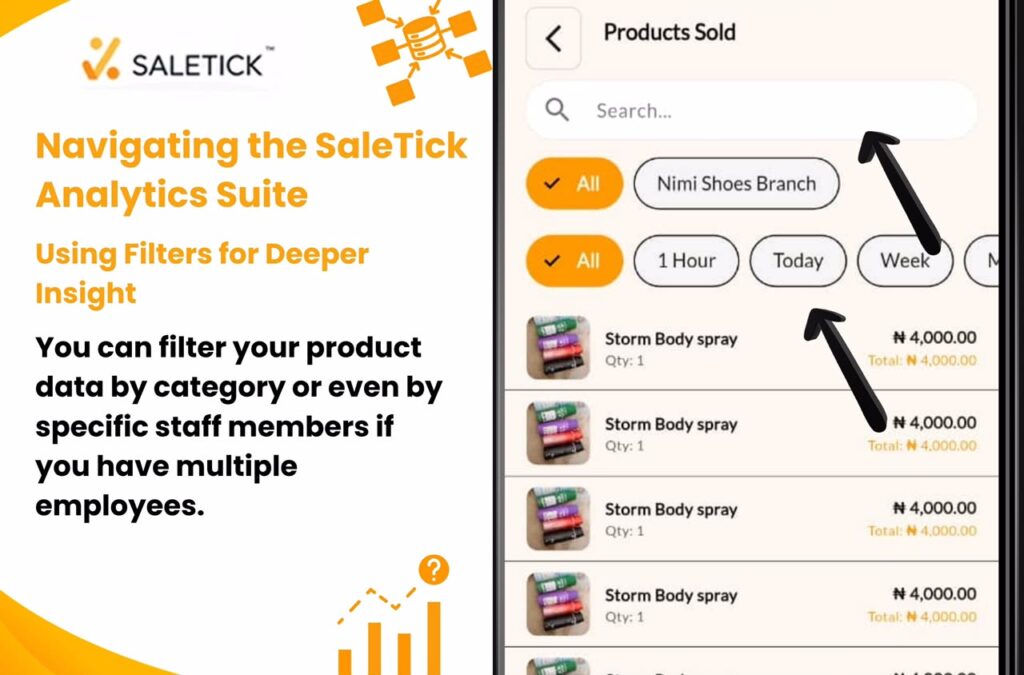
The power of SaleTick lies in its flexibility. You can filter your product data by category or even by specific staff members if you have multiple employees. This helps you understand if certain products sell better during specific shifts or if specific categories are driving the bulk of your revenue.
Turning Data into Business Growth
Tracking is only half the battle. The other half is using that information to make decisions. If your Products Sold report shows that a specific item is consistently your top seller, you should consider:
- Bulk Purchasing: Buying more of that item to get better wholesale prices.
- Promotional Bundling: Pairing your top seller with a slower-moving item to increase overall basket size.
- Strategic Placement: Moving your top sellers to the front of your shop or the top of your digital catalog to increase visibility.
(Watch SaleTick YouTube Video – How to Track Products and Manage Sales Reports)
Professionalism Wins Customers
When you use SaleTick to track your products, you are running a data-driven operation. This level of organization is what separates successful SMEs from those that struggle. It allows you to plan for the future, manage your cash flow, and scale your business with confidence.
Take Control of Your Inventory Today
Stop relying on memory or messy notebooks. Your business deserves a system that works as hard as you do. Log into your SaleTick dashboard today, dive into your analytics, and start using your sales data to build a more profitable future.
Ready to master your inventory? Visit www.saletick.net to learn more about our analytics features and join the community of successful Nigerian businesses by creating a free Saletick account and letting your business speak.