In the Nigerian retail landscape, the difference between a shop that grows and one that just survives often comes down to one thing: knowing exactly what happened in your business today. As a business owner, you are constantly juggling customers, stock, and cash. If you cannot look back at your day and see exactly what was sold, how it was paid for, and who bought it, you are flying blind.
Many shop owners rely on memory or a physical notebook to track sales. But when the shop gets busy or you have staff handling transactions, memory fails. This is where the Transactions Completed, Activity Feed and Products Sold features on SaleTick become your most powerful tools for growth.
Why Tracking Your Sales History Matters
Imagine a customer comes back two days later claiming they paid for an item that was never delivered. Or perhaps you are trying to balance your cash at the end of the week and the figures just do not add up. Without a clear, digital record, you are forced to guess.
By regularly reviewing your Transaction Completed, you gain three critical advantages:
1. Accountability: You know exactly what your staff sold and when.
2. Dispute Resolution: You have a digital receipt to show customers if there is ever a question about a past purchase.
3. Trend Analysis: You can spot which products are moving fast and which ones are just gathering dust on your shelves.
How to Navigate Recent Sales on SaleTick
SaleTick is designed to be intuitive for the Nigerian SME owner. You do not need to be a tech expert to master your data. Here is how you can use the app to stay on top of your business. It would also be important to note that these features are available for all account types on Saletick.
1. Accessing Products Sold
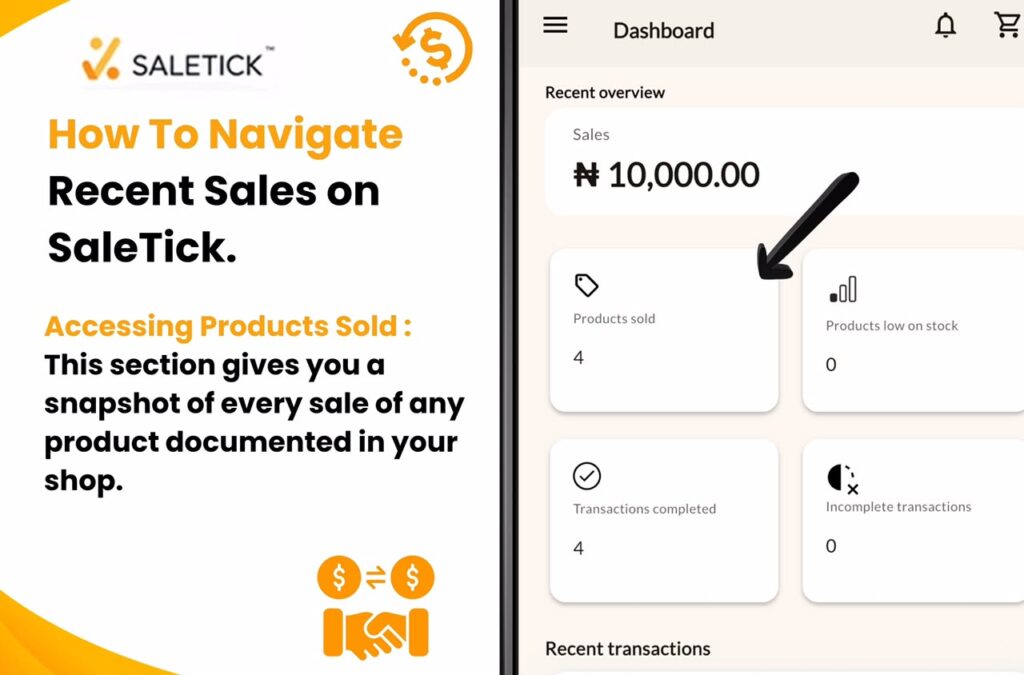
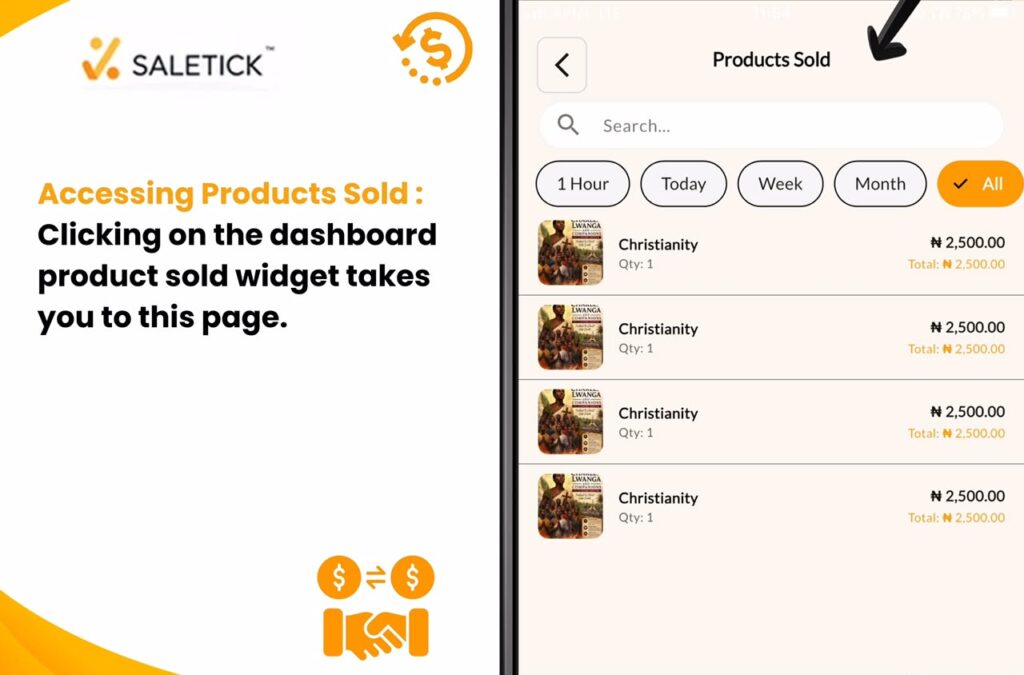
From your main dashboard, you can instantly view your Products Sold. This section gives you a snapshot of every sale of any product documented in your shop. It is perfect for a quick check during a busy shift to ensure that every transaction is being recorded correctly. On the Product Sold page, you would need to click on any product documented to be directed to the Sold Item Page and see the Additional Details of the Product that were sold.
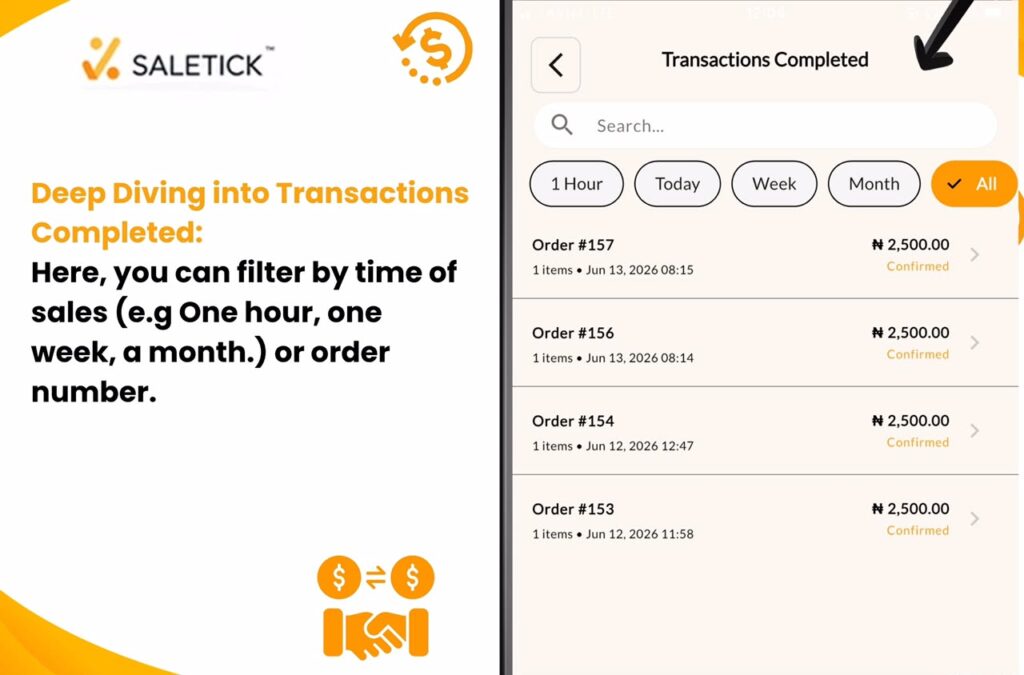
2. Deep Diving into Transactions Completed
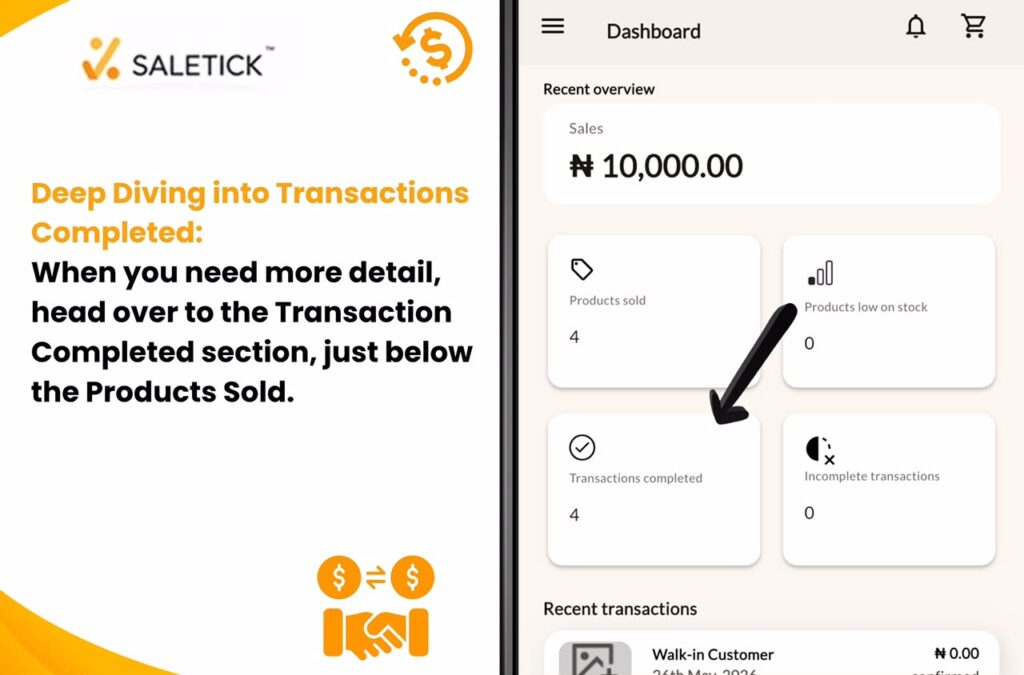
When you need more detail, head over to the Transaction Completed section, just below the Products Sold. Here, you can filter by time of sales (e.g One hour, one week, a month.) or order number. This is where the magic happens. You can see the full breakdown of every order, including the items sold, the quantity, payment method, customer name, and the total revenue generated.
3. Checking Activity Feed
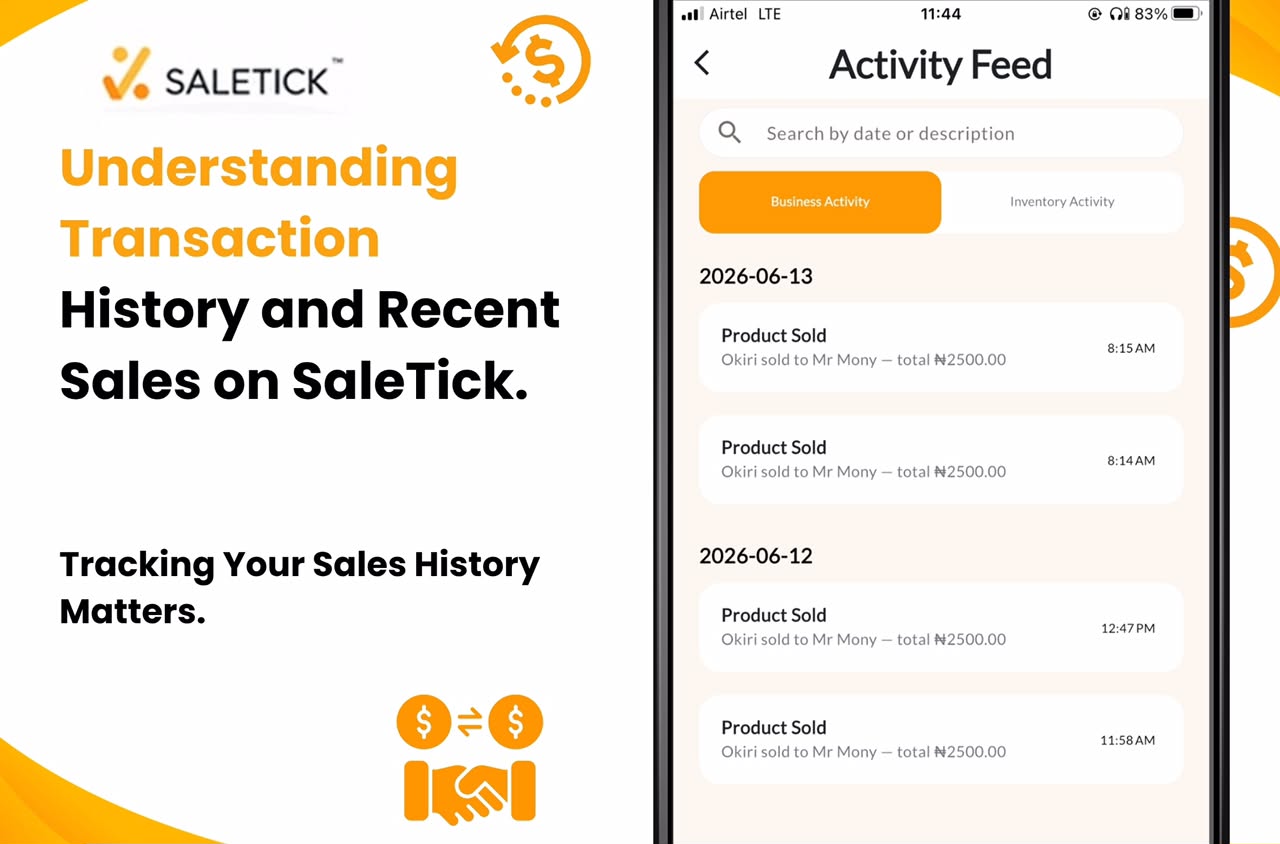
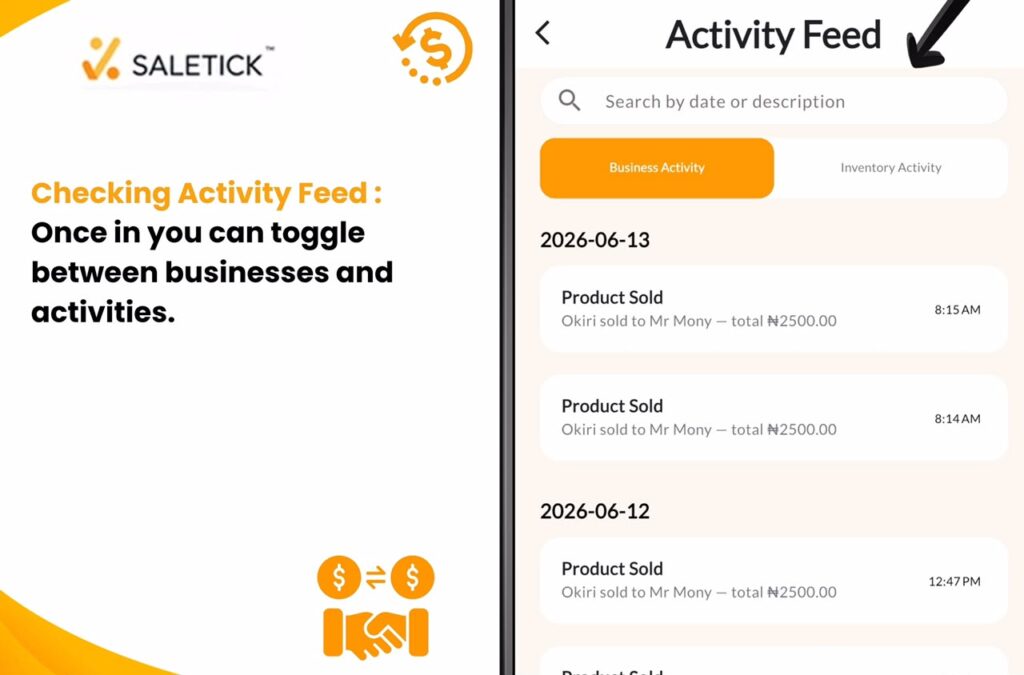
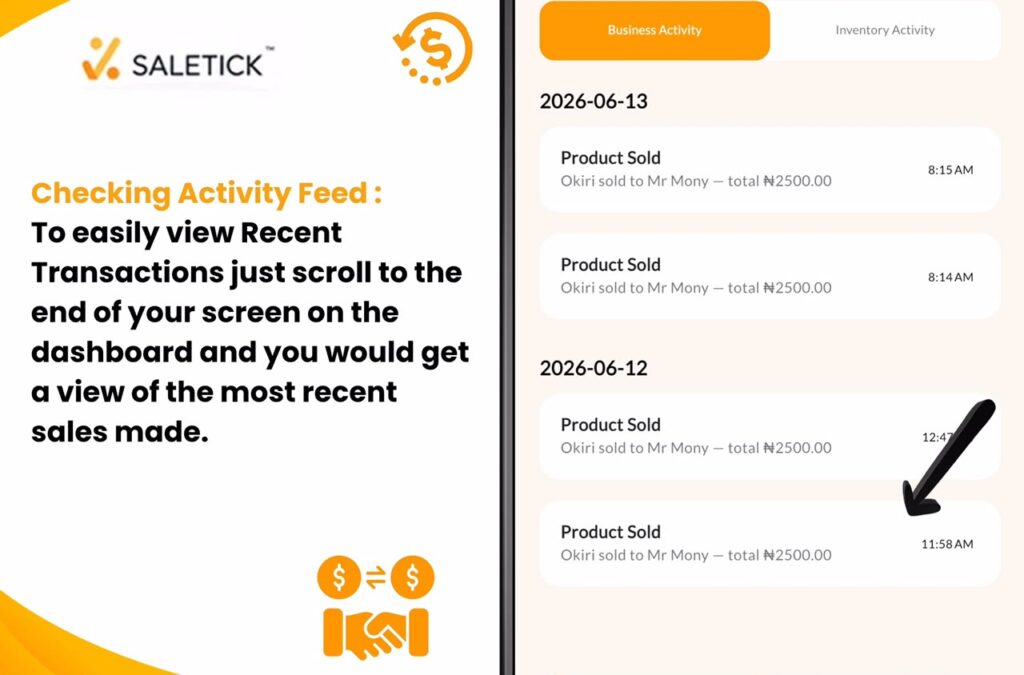
With the Activity Feed, you can check what is going on in your business as every action is documented there. Once a product is sold and recorded, that information of the sales including who made the sale will be stored in the Activity Feed. If a product is added, it is also documented in the Activity Feed. Even if you need data from months back, you can simply use the search bar at the top to locate any specific information you need.
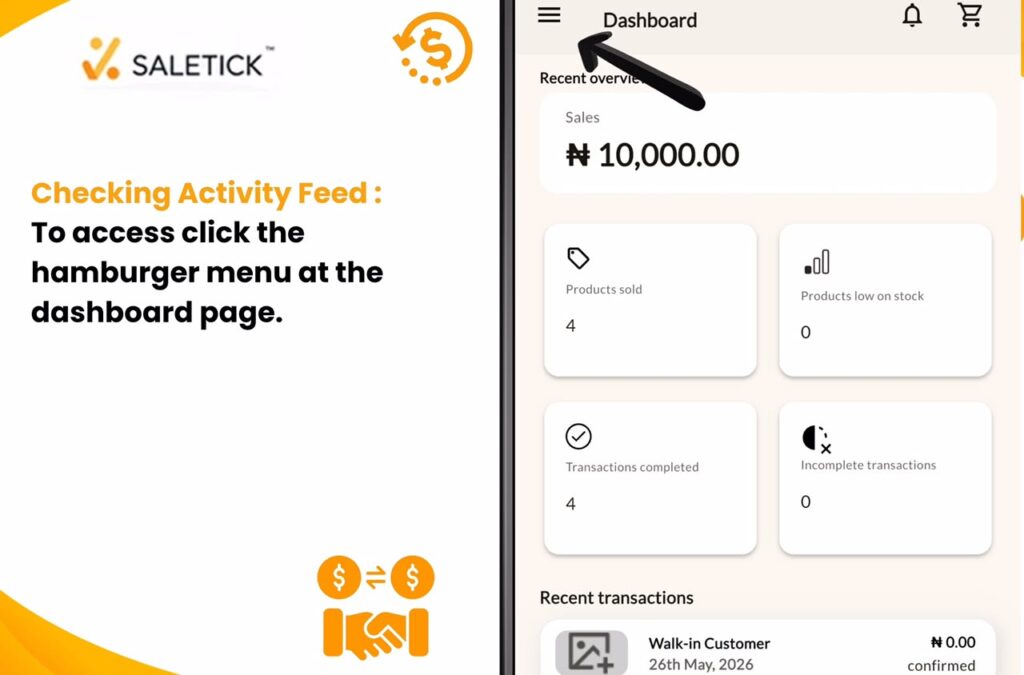
To access the Activity Feed;
- Click the hamburger menu at the top left from your dashboard.
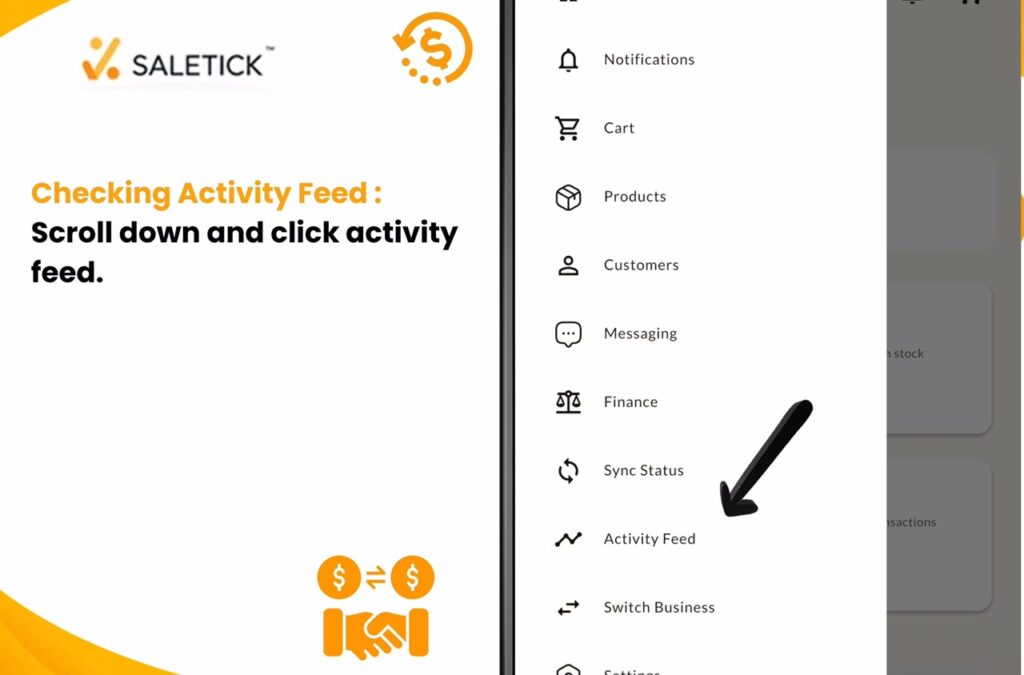
- Scroll down till you see Activity Feed and click on it.
- Once in, you can toggle between Business Activities or Inventory Activities.
To easily view Recent Transactions just scroll to the end of your screen on the dashboard and you would get a view of the most recent sales made.
Real-Life Application: Spotting Patterns
Let us say you run a pharmacy. By checking your Transactions Completed over the last month, you might notice that a specific brand of multivitamin sells out every Friday. With this insight, you can adjust your restocking schedule to ensure you never run out during your peak period. That is the power of data. You are no longer just selling items; you are making informed business decisions.
To get the most out of these features, we have created a step-by-step video guide. Watching this will help you see exactly how to filter your history and use the data to improve your daily operations.
Watch Saletick YouTube Video: How to View Sales Reports and History
Take Control of Your Business Today
Stop guessing about your daily performance. When you use SaleTick, you are not just recording sales; you are building a history of success. Understanding your Transactions Completed and Products Sold in recent sales is the first step toward moving from a small shop to a thriving business.
Ready to see exactly how your business is performing? Log into or sign-up for a free SaleTick account now, head over to your history, and start making data-driven decisions.
Visit www.saletick.net to learn more about how our platform helps Nigerian SMEs scale. Download the app today from either the Google Play Store or Apple Store and start tracking your success with precision.