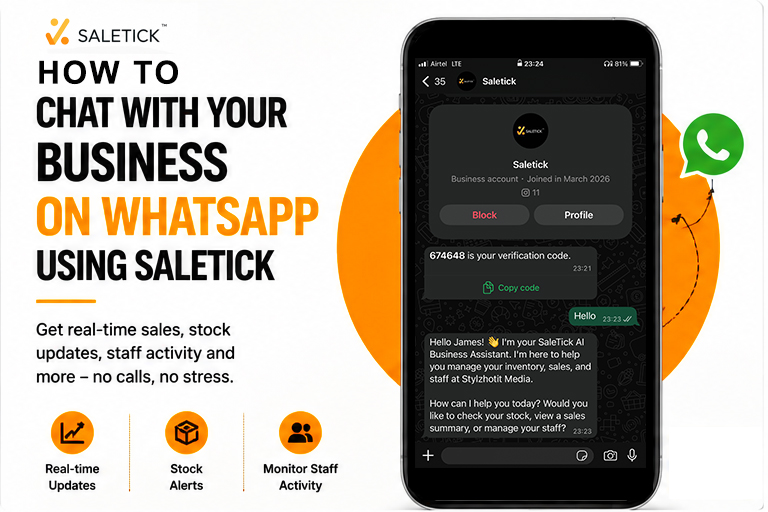
Every Nigerian shop owner knows the stress of being away from the store and with Saletick, you will never be absent from your store again. You could be at a wedding or in the market to restock, but your mind is stuck at the shop. You keep wondering: “How many sales have we made? Did that customer finally pay for the items she took yesterday? Is the generator still running?”
Usually, this means making ten different phone calls to your sales girl or manager. Half the time, they are too busy to pick up, or they give you a report that doesn’t quite add up. What if you could just send a quick WhatsApp message and get your business data instantly?
With SaleTick, you don’t have to imagine it anymore. You can now chat with your business directly on WhatsApp to get real-time updates without making a single phone call.
The “Owner’s Trap” and Information Gap
Many SMEs in Nigeria struggle to scale because the owner is the only person who holds all the information. When you are not physically present at your pharmacy, supermarket, or boutique, the business feels like it is on autopilot without a pilot.
Relying on manual reports at the end of the day is dangerous because errors happen, and sometimes, “urgent” money disappears before you even get the chance to record it. You need a way to stay connected to your data in the same way you stay connected to your family: through WhatsApp.
Why WhatsApp Integration is a Game Changer
We already spend most of our day on WhatsApp closing deals and talking to customers. SaleTick has brought your business reports into that same comfortable space.
By connecting your SaleTick account to WhatsApp, you can:
- Get Instant Sales Summaries: Just type a command and see exactly how much has entered the money drawer today.
- Check Stock Levels: Find out if you are out of a particular product before you even reach the shop.
- Monitor Staff Activity: Stay informed on who is logged in and what they are recording.
Step-by-Step On How to Chat With Your SaleTick Business
Setting this up is easier than posting a status update. Here is how you do it:
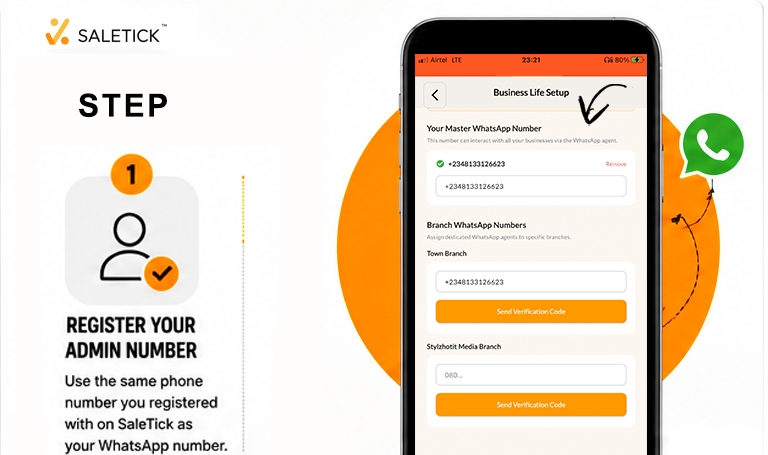
1. Register Your Admin Number: Go to Settings and then to Business Life Setup and make sure the phone number you used to register your SaleTick Administrator account is the same one you use for WhatsApp. Input your number as the master business number. This ensures your data remains secure and only you can access it. To know more about an administrator account read this article, How to Setup Your SaleTick Administrator Account.
2. Saves the Official SaleTick Bot Number: Add the official SaleTick business number to your contacts. Think of this number as your 24/7 digital manager that never sleeps and never gets tired of your questions.
3. Start the Conversation: Open WhatsApp and send a simple “Hello” or “Menu” to the saved number. The system will recognize your registered phone number and link it to your shop’s dashboard immediately.
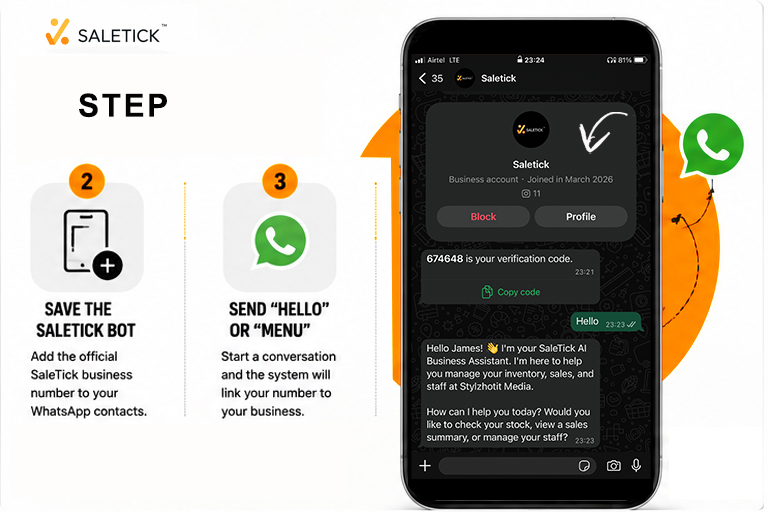
4. Request Your Reports: You will see a list of options. Whether you want to see your “Daily Sales,” “Total Profit,” or “Low Stock Alert,” simply reply with the corresponding number or keyword. Your business will reply instantly with the exact figures from your app.

Real Life Example Of A Relaxed Supermarket Owner
Imagine Mr. Okechukwu, who runs a busy supermarket in Enugu. Before SaleTick, he had to be at the shop by 7 PM every day to count bread and crates of eggs. Now, Mr. Okechukwu can sit in his parlor, send a WhatsApp message to his SaleTick bot, and see that 45 loaves were sold by 4 PM. He knows his exact position before he even steps out of his house. This is what we call “Peace of Mind” business management.
Take Action And Connect Your Shop Today
Running a business in Nigeria is hard enough. Don’t make it harder by chasing people for reports. Bring your business to your fingertips.
If you want to see exactly how this works in real time, watch our detailed video guide on the SaleTick YouTube channel: SaleTick YouTube Channel.
Ready to start chatting with your business? Download the SaleTick App now and move your shop into the future.