If you are running a retail shop or a supermarket in Nigeria, you already know that “too many hands in the soup” can spoil the business. One minute your shelves are full, and the next minute, someone is telling you they cannot find the balance for the morning sales. This is exactly why you need a central command center for your business.
Setting up your Administrator Account on SaleTick is the first step toward stopping stock loss and ensuring that every kobo is accounted for. As the admin, you are the only one with the “master key” to view sensitive reports, change prices, and monitor what your staff are doing in real time.
Why the Admin Account is Your Business Lifebuoy
Most small business owners in Lagos or Abuja struggle because they try to be everywhere at once. You cannot be at the shop and the market at the same time. With a SaleTick Admin account, you don’t have to be. You get to:
- Monitor Multiple Shops: See what is happening in your branch at Lekki while you are sitting in your office at Yaba.
- Secure Your Data: Ensure that only you can see the total daily profit or delete a recorded sale.
- Manage Staff Access: Give your sales girls or boys just enough access to sell items without seeing your wholesale costs.
Step by Step: Opening Your Admin Account
Follow these simple steps to get your business on the digital map:
1. Download and Register: Visit the Google Play Store or go to the SaleTick website to download the app. When you are registering for the first time, the details you provide automatically become the Administrator profile. Use a functional email and a phone number you have access to at all times.
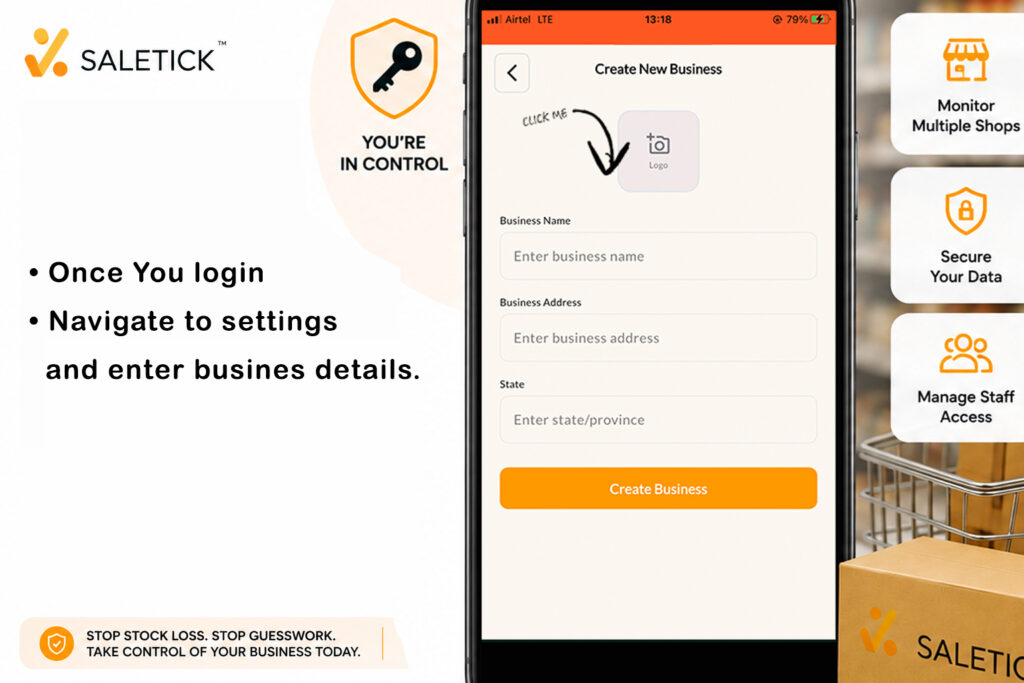
2. Setup Your Business Profile: On the registration page, you will enter your business name, address, currency and other details. This information will appear on every digital receipt you send to your customers. After registration, an OTP will be sent to the email address you provided. With the OTP verified, you are then redirected to login and choose business before you can begin tracking your sales on the dashboard.
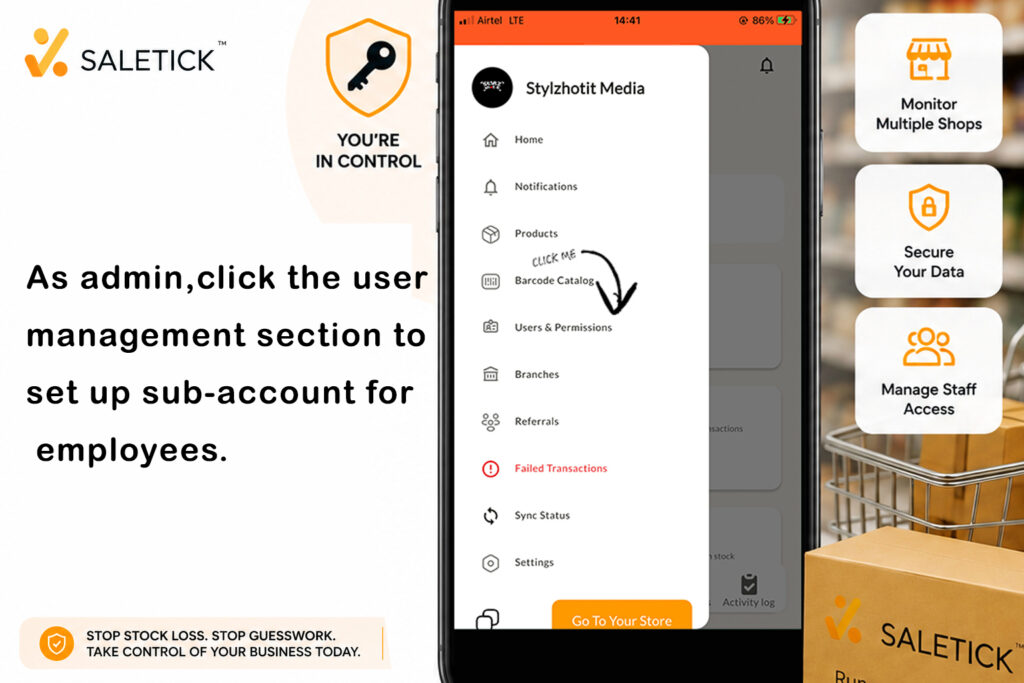
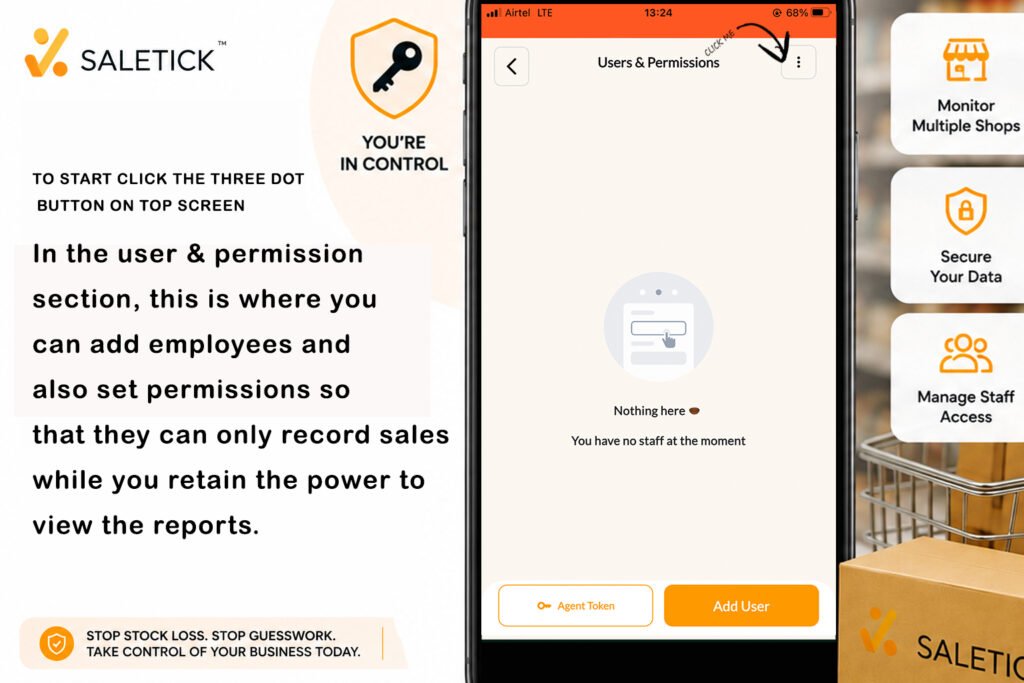
3. Adding Users: As the Admin, you can now head over to the User & Permission section. This is where you create sub-accounts for your employees or staffs which can be your Branch Manager, Account Staff or POS agent. When you Add Users, you can set their accounts so that they can only record sales while you retain the power to view the “Big Picture” reports.
Take Control Now
Business is hard enough as it is. Do not let poor tracking be the reason your hard work goes to waste. Setting up your Admin account takes less than five minutes but saves you years of stress.
Ready to see how it works in action? Watch our detailed guide on managing your store here: https://youtube.com/@saletick.
Stop the guesswork today. Download SaleTick and start leading your business like a pro.