Most small businesses start with spreadsheets.
It’s simple. Free. Familiar.
And at the beginning, it works.
But here’s what most people don’t realise:
What feels efficient early on becomes a hidden bottleneck later.
At some point, every business faces this decision:
Keep using spreadsheets
Or switch to a proper sales tracking system
This guide will help you make that decision based on reality—not comfort.
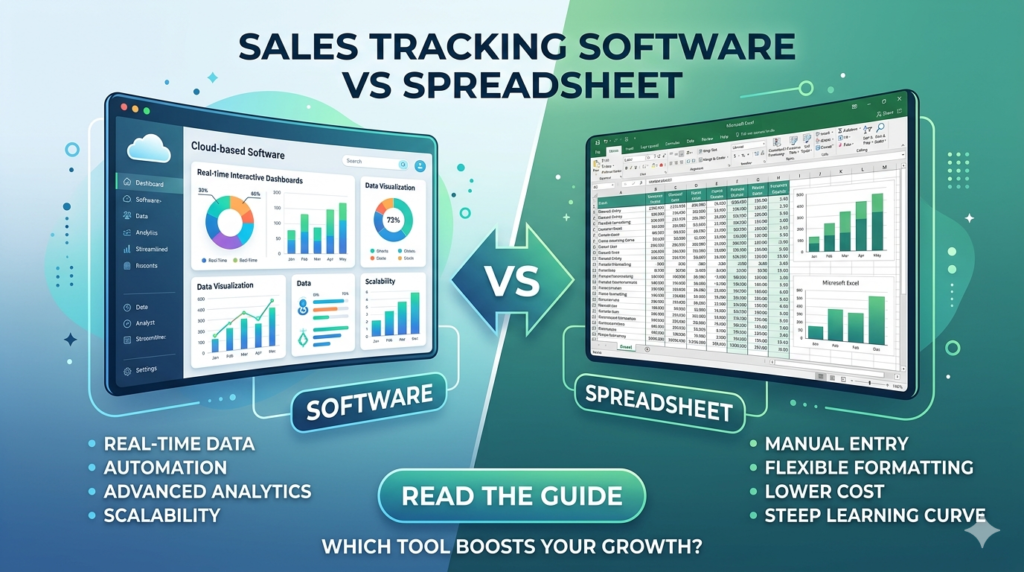
Why Spreadsheets Work (At First)
Spreadsheets are popular because they remove friction at the start.
- Easy to set up
- No upfront cost
- Flexible structure
- Familiar tools like Excel or Google Sheets
For early-stage businesses, this is enough.
But here’s the mistake:
Most businesses don’t know when “enough” becomes a limitation.
Where Spreadsheets Start to Break
Spreadsheets don’t fail suddenly.
They fail quietly, then cost you later.
1. Manual Data Entry Becomes a Bottleneck
Every sale depends on you.
At first, it’s manageable.
Then:
- You forget entries
- You delay updates
- Data becomes incomplete
Now your decisions are based on partial truth
2. Errors Start Costing You Money
Manual tracking introduces:
- Wrong figures
- Missing transactions
- Broken formulas
And the real danger?
You don’t always notice the errors.
3. No Real-Time Visibility
With spreadsheets:
- You only see what’s been entered
- No live performance tracking
- No instant insights
This slows down decision-making, and speed matters in growth.
4. No Customer Intelligence
Spreadsheets track numbers.
They don’t track behaviour.
You can’t:
- Identify repeat buyers
- Track purchase patterns
- Build customer relationships
Which means you’re leaving revenue on the table.
5. It Doesn’t Scale With You
As your business grows:
- More products
- More transactions
- More complexity
Your spreadsheet becomes:
Cluttered, slow, and unreliable
What Sales Tracking Software Does Better
The core difference is simple:
Software removes manual dependency
1. Automatic Sales Tracking
Every transaction is recorded automatically.
- No missed entries
- No delays
- Clean, accurate data
2. Real-Time Insights
You instantly see:
- Daily sales
- Top-performing products
- Revenue trends
No calculations. No guesswork.
3. Customer Tracking
Now you’re not just tracking sales, you’re tracking people.
- Repeat customers
- Buying behavior
- Sales history
This is where real growth comes from.
4. All-in-One Business Visibility
Modern tools go beyond tracking.
They include:
- Inventory monitoring
- Staff performance tracking
- Profit/loss insights
Spreadsheet vs Sales Tracking Software
You move from “recording data” to running a business system
| Feature | Spreadsheet | Sales Tracking Software |
|---|---|---|
| Data Entry | Manual | Automatic |
| Accuracy | Error-prone | High |
| Insights | Limited | Real-time |
| Customer Tracking | Weak | Strong |
| Scalability | Low | High |
Spreadsheet = control
Software = clarity + speed
When Should You Switch?
If any of these are true, you’ve already outgrown spreadsheets:
- You forgot to update the records
- You don’t fully trust your numbers
- Tracking takes too much time
- You can’t see performance instantly
- Your sales are increasing
At this stage:
Staying with spreadsheets is no longer safe; it’s expensive.
The Wrong Way to Upgrade
Most businesses make this mistake:
They jump into:
- Complex CRMs
- Expensive enterprise tools
- Overbuilt systems
Then they get overwhelmed and quit.
The Smarter Upgrade Path
Don’t jump to complexity.
Upgrade to simple, focused software built for your stage.
You need a system that:
- Automates sales tracking
- Tracks inventory in real time
- Gives instant insights
- It is easy to use daily
Why Simplicity Wins
The best system isn’t the most powerful.
It’s the one you actually use consistently.
Most tools fail because they are:
- Too complex
- Too technical
- Built for large teams
Small businesses need:
Speed
Clarity
Ease of use
The Right Next Step
If you’re still early:
Start with a spreadsheet (but do it properly)
→ Track Sales Spreadsheet Guide
If you’re growing and feeling friction:
Compare better tools
→ Best Sales Tracking Tools for Small Business
If you’re ready to simplify and scale:
Try Saletick
With Saletick, you can:
- Track sales automatically
- Monitor inventory in real time
- Get instant performance insights
- Reduce manual errors and wasted time
Final Verdict
- Spreadsheets are great for starting
- But they are dangerous for scaling
The longer you stay in manual tracking, the more you:
👉 Lose time
👉 Miss insights
👉 Limit growth
The real question isn’t:
“Which is better?”
It’s:
“What stage is my business in and what system supports it?”
Are You Outgrowing Your Spreadsheet?
Checklist:
I forget to update sales regularly
I’m not sure my numbers are accurate
Tracking sales takes too much time
I don’t have real-time visibility
Then:
If you checked 2 or more, you need to upgrade your system.
Try Saletick