
Managing multiple businesses in Nigeria is a common reality for many entrepreneurs. You might own a pharmacy in the morning, a boutique in the afternoon, and a logistics service on the side. When you run these ventures as separate entities, you often end up juggling multiple logins, losing track of your total revenue, and wasting hours on administrative tasks.
SaleTick solves this by allowing you to manage multiple distinct businesses under one single account. You can switch between your ventures with a single tap, keeping your operations organized, professional, and profitable. To learn how to Create Multiple Businesses Under One Saletick Account, Read This Article; How to Create Multiple Businesses Under One SaleTick Account.
Why You Need a Unified Business Dashboard
When you run different businesses, keeping your data siloed is dangerous. You need a bird’s-eye view of your entire portfolio. By consolidating your businesses under one SaleTick account, you gain:
- Efficiency: No more logging in and out of different accounts.
- Total Visibility: See your total business performance across all ventures in one place.
- Simplified Management: Use the same powerful tools for inventory, sales, and staff across all your businesses.
- Professionalism: Keep your records clean and audit-ready for every single business you own.
Step-by-Step: How to Switch Between Businesses on SaleTick
Switching between your ventures is designed to be instant and seamless. Follow this exact process to navigate your portfolio.
1. Access Your Saletick Dashboard
Log in to your SaleTick dashboard. Open the hamburger menu on the top left of your screen and navigate down to Settings. This is your central hub for all business-level configurations.

2. Locate the Settings Menu
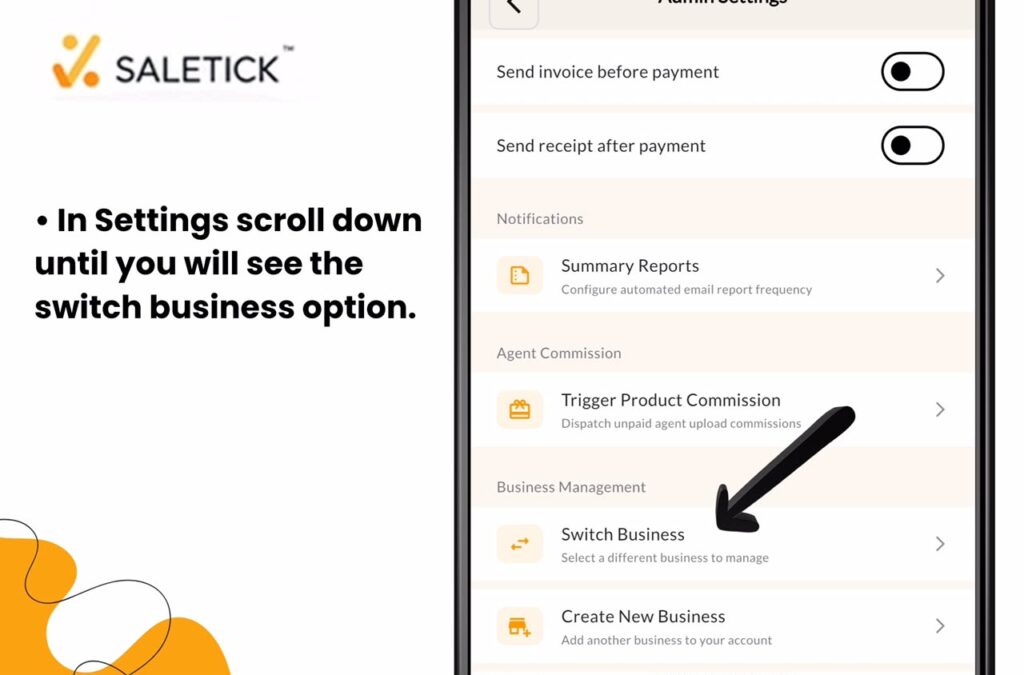
Inside the Settings menu, scroll down until you find the Switch Business option. This area is dedicated to your multi-business setup.
3. Switch Your Business
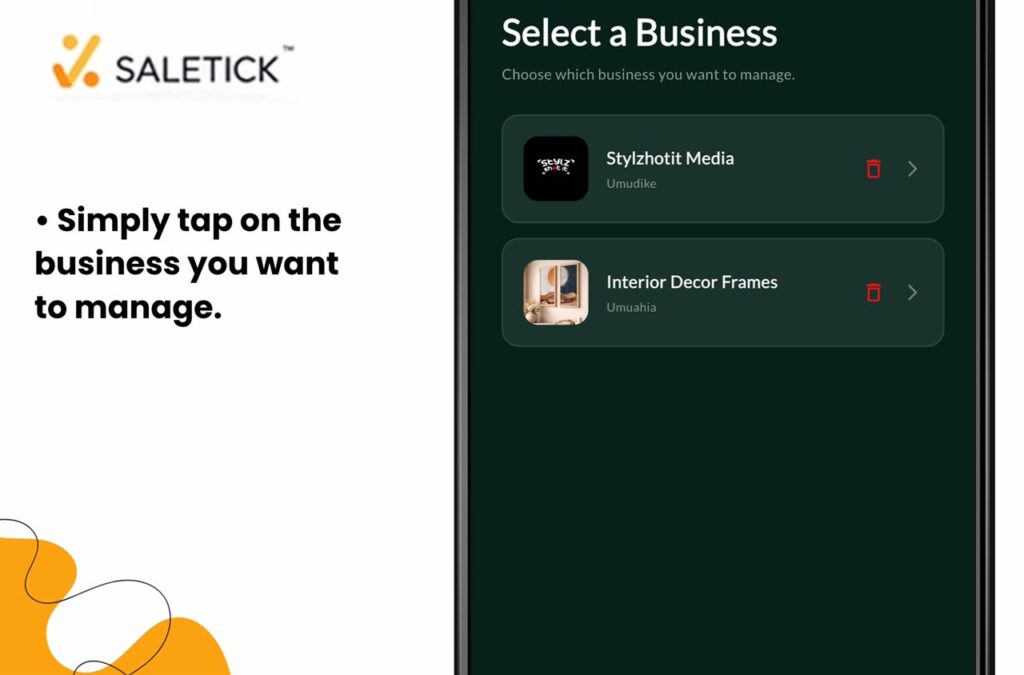
Tap on the Switch Business option. A list of all the businesses currently linked to your account will appear. Simply tap the name of the business you want to manage. The entire dashboard will automatically refresh to display the inventory, sales reports, and staff data specific to that selected business.
4. Manage Each Business Independently
Even though they are under one account, each business remains completely separate. You can set up unique branches, assign specific staff members, and track individual profit margins for each venture. This ensures that your pharmacy’s inventory never gets mixed up with your boutique’s stock.
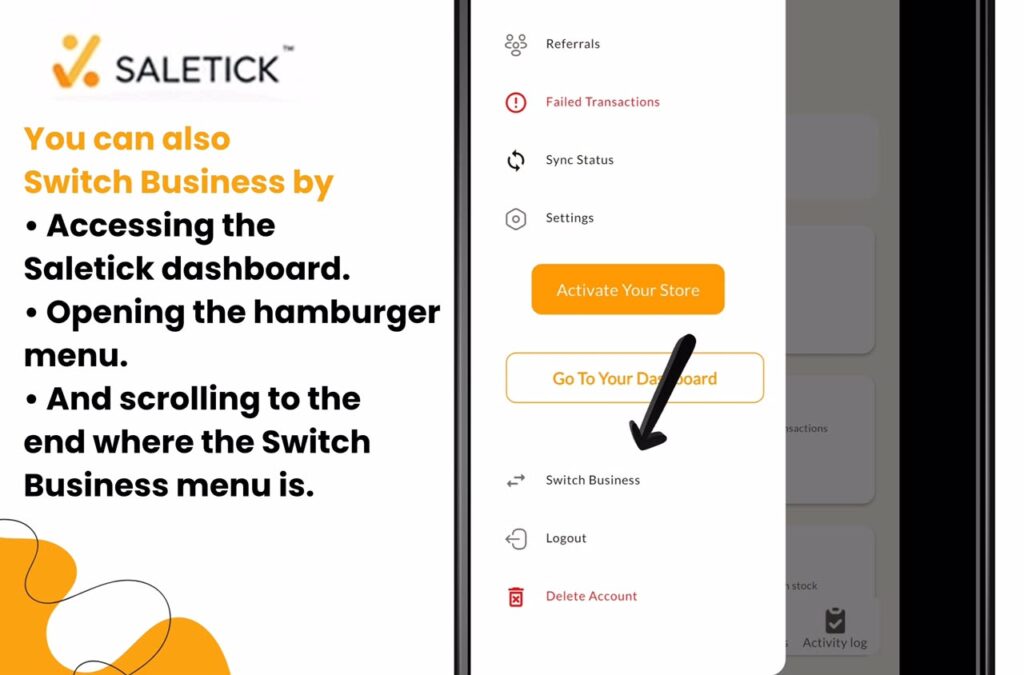
You can also Switch Business by accessing your Saletick dashboard, opening the Hamburger menu and scrolling to the end where the Switch Business menu is.
Why SaleTick is the Best Choice for Your Business
SaleTick is built for the reality of Nigerian business. We understand that you are busy and need tools that work as hard as you do. By centralizing your multiple businesses, you stop wasting time on administrative clutter and start focusing on what really matters: growing your profit.
Watch the Expert Guide
See exactly how to navigate these features in our latest video tutorial.
[Watch YouTube Video: How to Manage Multiple Businesses on SaleTick]
Do not let the complexity of running multiple ventures hold you back. With SaleTick, you have the power to monitor, manage, and scale every single one of your businesses from one place.
Log in to your SaleTick dashboard now to manage your ventures or download the app from Google Play Store or Apple Store and watch your business grow.