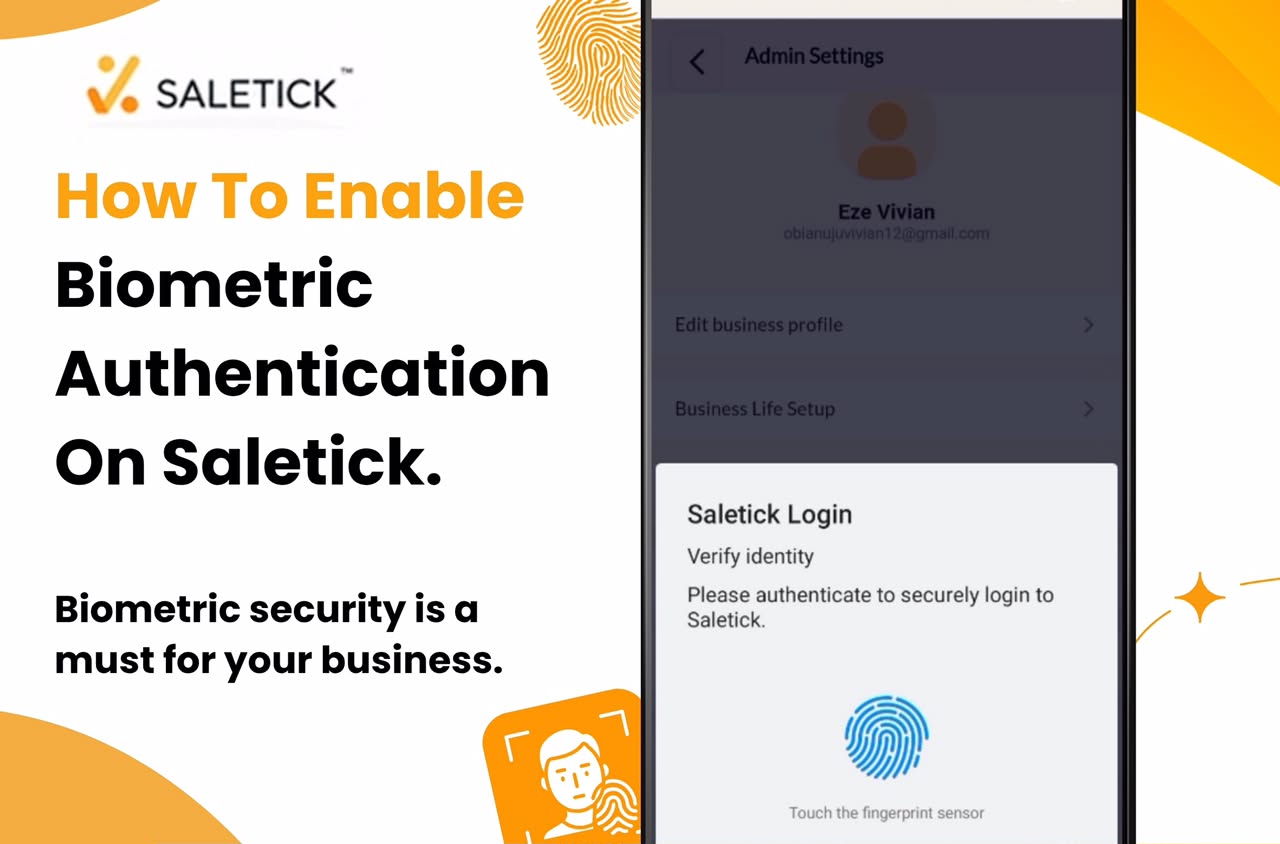
In the Nigerian retail environment, security is not just a luxury, it is a necessity. As a business owner, you are constantly juggling inventory, cash flow, and staff management. The last thing you want is unauthorized access to your sales data or inventory records. Typing in passwords every time you need to check a quick report or process a sale is slow, and forgetting them can bring your operations to a standstill.
Biometric authentication is the modern solution to this problem. By using your fingerprint or facial recognition, you add a layer of security that is both incredibly fast and nearly impossible to bypass. Enabling this feature on SaleTick ensures that only you or your authorized staff can access your business dashboard, keeping your sensitive data safe while making your daily workflow smoother.
Why Biometric Security is a Must for Your Business
Security breaches and unauthorized access can lead to stock loss, inaccurate sales reporting, and internal theft. Traditional passwords can be shared, guessed, or forgotten. Biometrics, however, are unique to the individual. By enabling this on your device, you ensure that your SaleTick account is locked tight, giving you peace of mind whether you are in the shop or away. It is the perfect balance between high-level security and user convenience.
How to Enable Biometric Authentication on SaleTick
Setting up biometric security is a simple feature and process that takes less than a minute. Follow these steps to secure your account:
1. Open the SaleTick App: Ensure you are logged into your Saletick account on your mobile device.
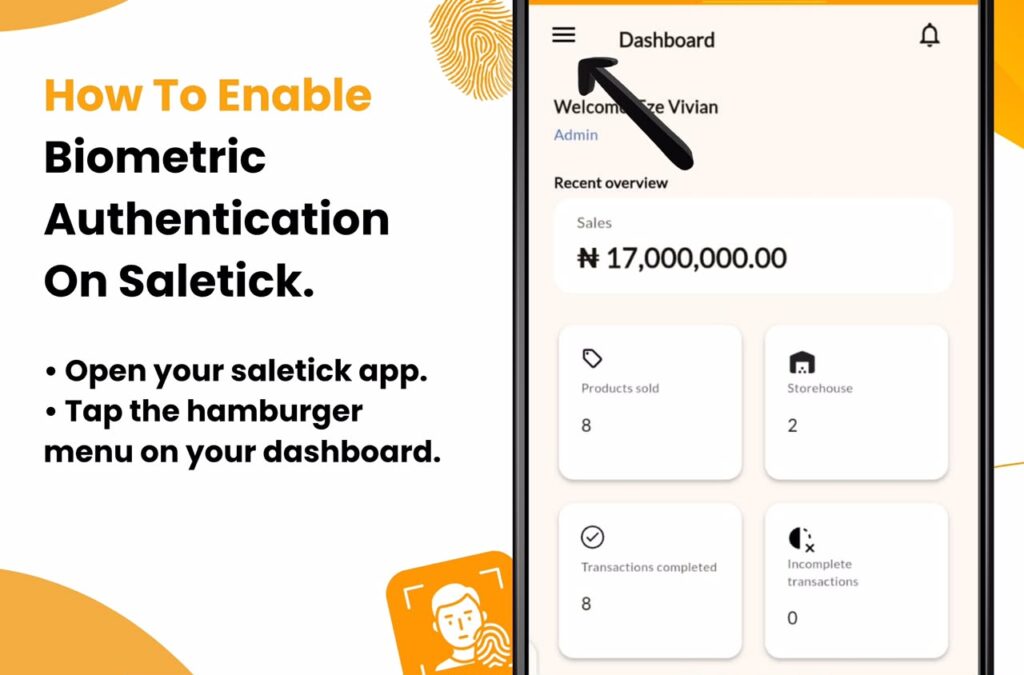
2. Access the Menu: Tap the hamburger menu icon located on the top left of your dashboard.
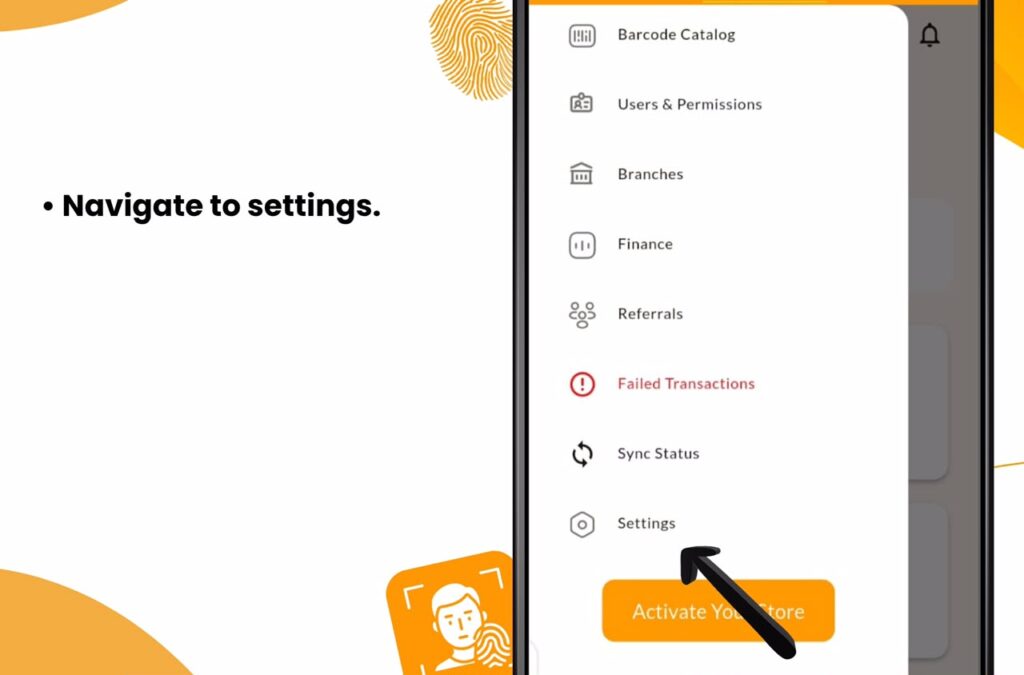
3. Navigate to Settings: Select Settings from the list of options in the hamburger menu.
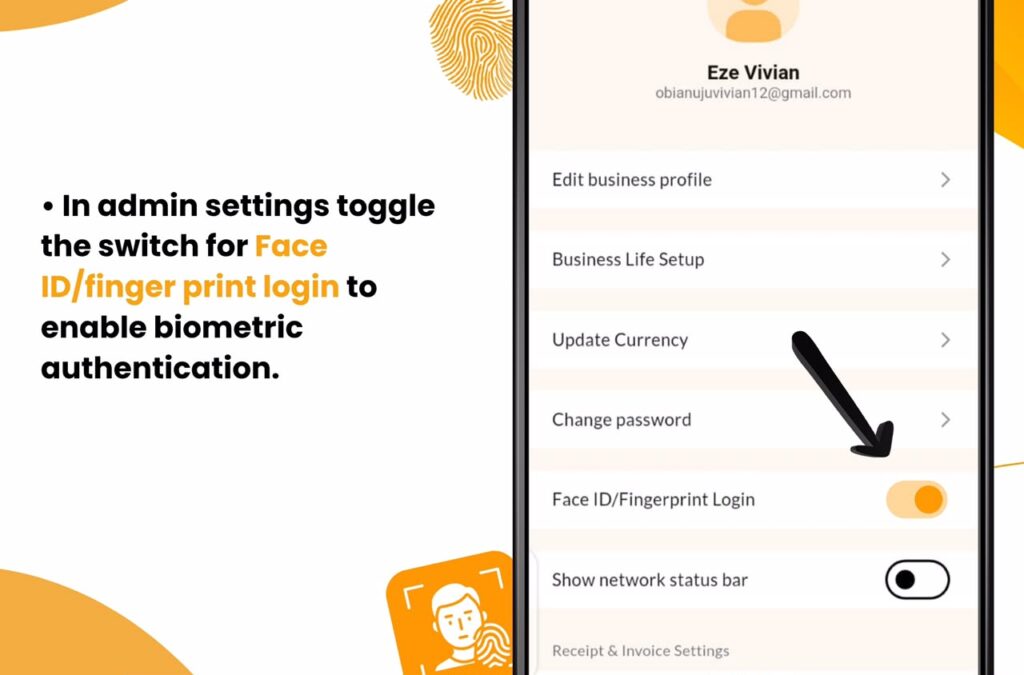
4. Enable Face ID/Fingerprint (Biometric) Login: Once in Admin Settings, Toggle the switch for Enable Face ID/Fingerprint Login (Biometric) to the on position.
5. Confirm Your Identity: Your device will prompt you to scan your fingerprint or use facial recognition to confirm the change.
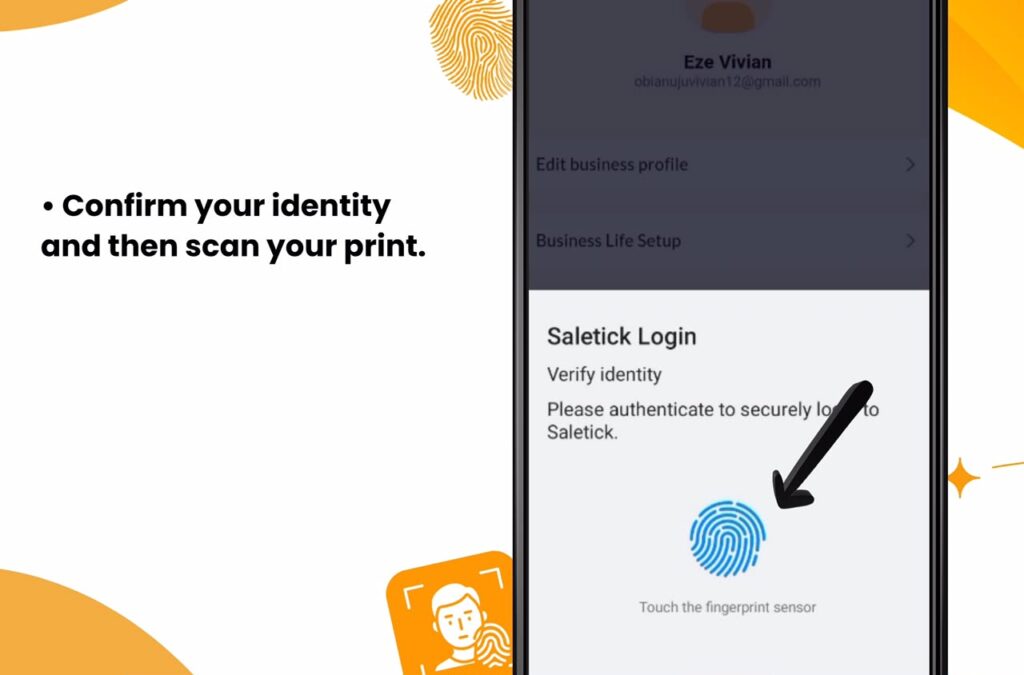
6. Save Your Settings: Once confirmed, your biometric login is active and automatically saved.
From this point forward, every time you open the SaleTick app, you will be prompted to use your biometric data to log in. It is fast, secure, and eliminates the need to remember complex passwords.
Protecting Your Business Data
Your business data is the backbone of your operations. From your profit margins to your top-selling items, this information is valuable. Protecting it with biometric authentication is a proactive step that shows you take your business seriously. It is a small configuration change that provides massive protection against unauthorized access, ensuring that your hard work remains safe and your records stay accurate.
Click Here To Watch YouTube Video
Take Control of Your Business Security
Do not leave your business data vulnerable to weak passwords or unauthorized users. Technology is here to make your life easier and your business more secure. SaleTick is built specifically to help Nigerian SMEs succeed by providing tools that are both powerful and easy to use.
Ready to secure your business operations in one click?
Enable biometric authentication on your SaleTick account today. If you are not using SaleTick yet, now is the time to join thousands of Nigerian business owners who are already protecting their shops and scaling their success with confidence.
Download SaleTick today from the Google Play Store or Apple Store and secure your business like a pro.