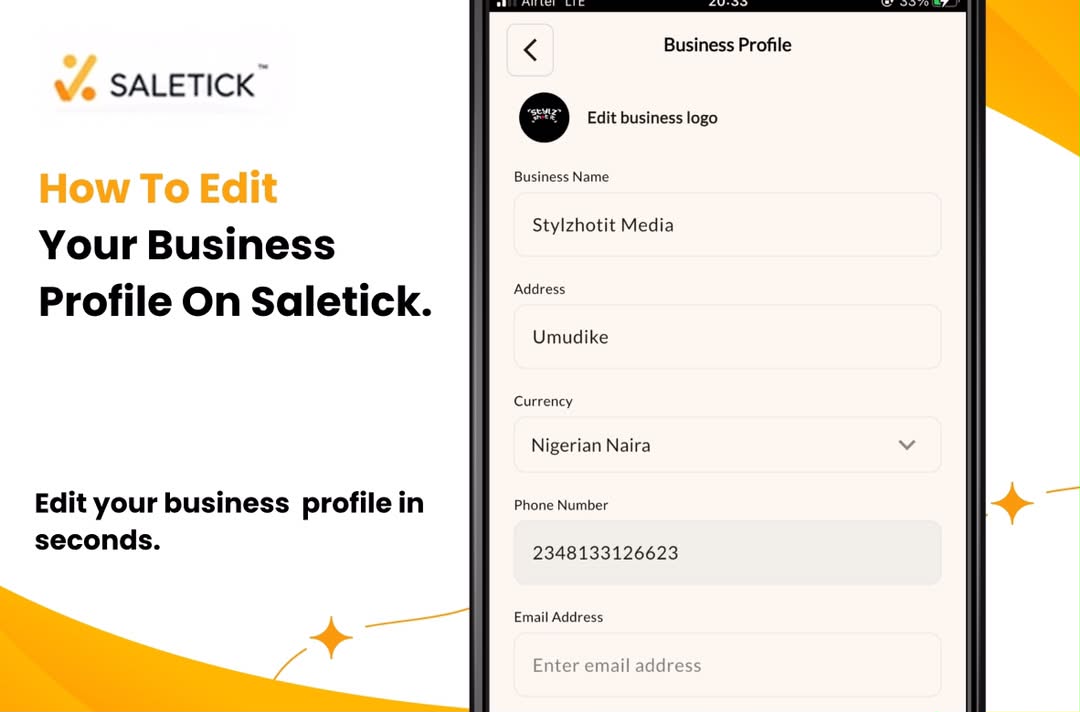
Your business profile is the face of your operation. Whether you have recently rebranded, changed your business address, or updated your contact information, keeping your profile current is essential. For Nigerian SMEs, an outdated business profile can lead to customer confusion and professional inconsistencies on your receipts and invoices.
SaleTick makes it incredibly simple to update your business details. You do not need to contact support or wait for manual approvals. You can make these changes yourself in seconds, ensuring your records always reflect your current business reality.
Why Keeping Your Profile Updated Matters
Your business profile information appears on the documents you issue to your customers. If your phone number or address is incorrect, you risk losing repeat business or appearing unprofessional. Furthermore, accurate data ensures that your internal reporting remains precise. By taking two minutes to update your profile, you maintain the integrity of your brand and the accuracy of your business documentation.
Step-by-Step: How to Edit Your Business Profile on SaleTick
Follow these steps to update your information directly within the SaleTick app.
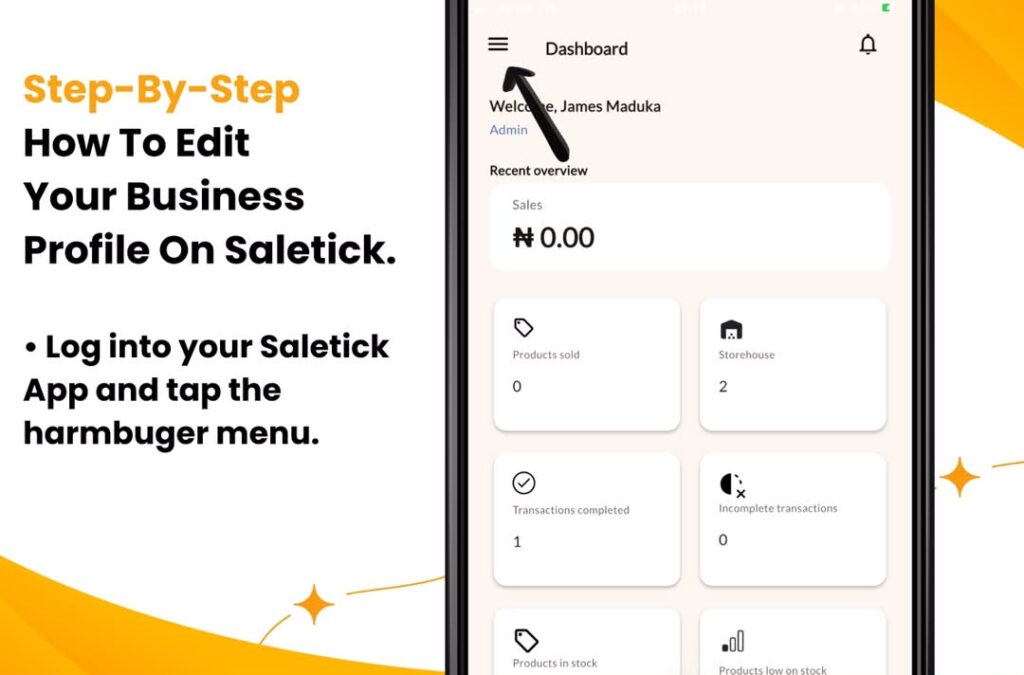
1. Open the Main Menu
Log in to your SaleTick app and tap the hamburger menu icon on your dashboard to open the navigation drawer.
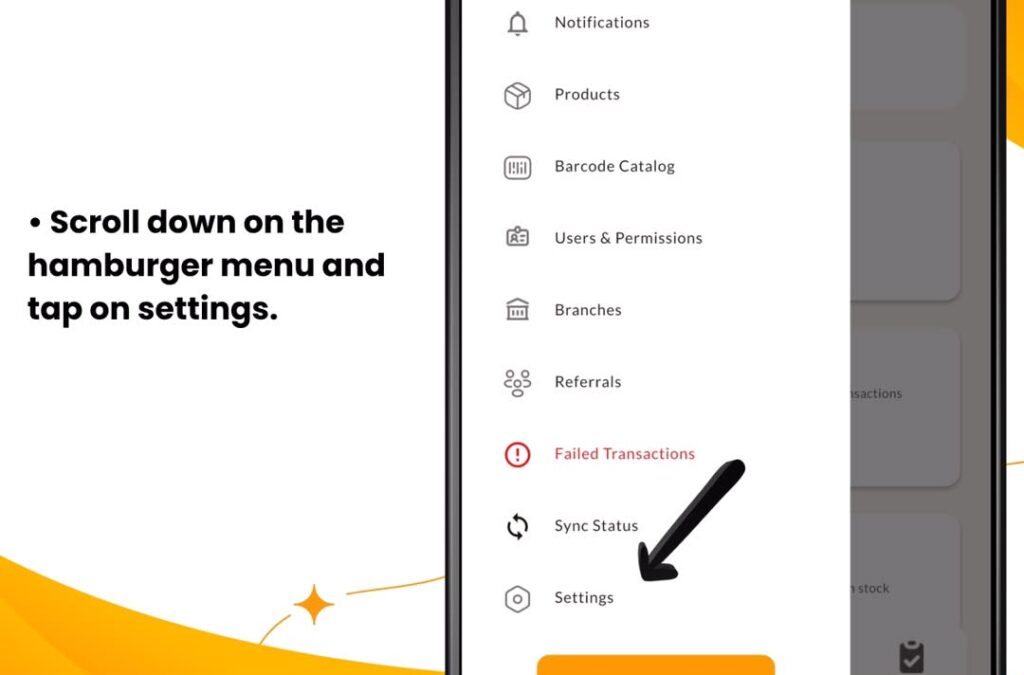
2. Access Settings
Scroll down on the hamburger menu and tap on Settings to view your account configuration options.
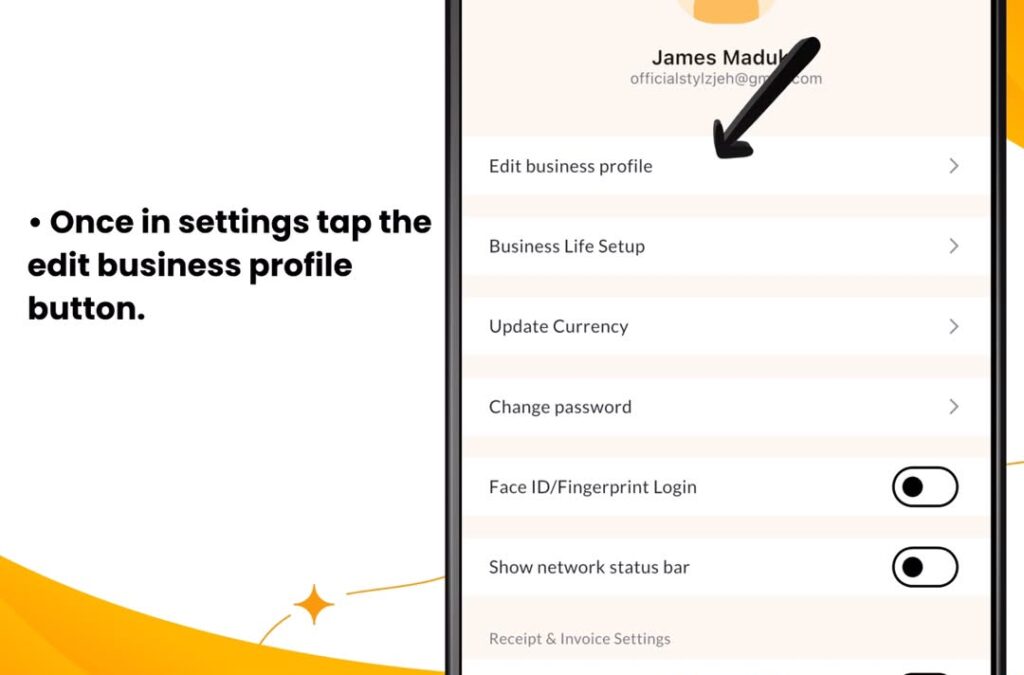
3. Click on Edit Business Profile
Once in Settings, tap the Edit Business Profile option. It is the first option you will see in the settings menu.
4. Edit Business Details
Once you click on Edit Business Profile, a form will appear containing your details. Update any fields such as your business name, address, phone number, currency, user name or email. Ensure every detail is correct.
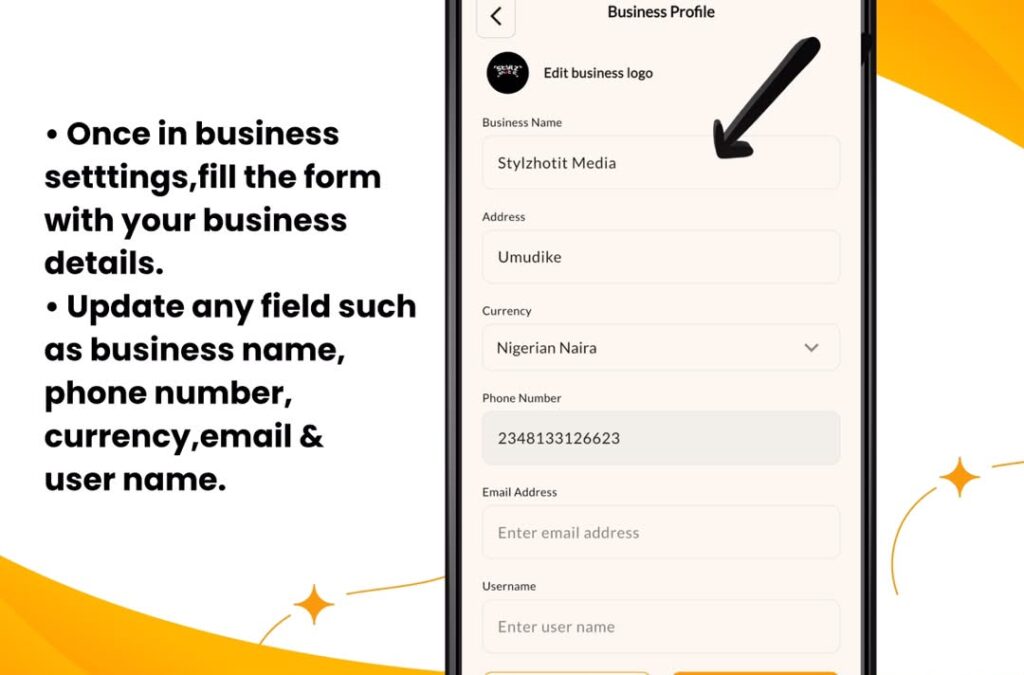
5. Press Save
Once you have made the required changes, tap the Save button to apply the updates to your profile.
Real-Life Application for Nigerian SMEs
Consider a pharmacy that recently moved to a larger location down the street. If the owner fails to update the address on SaleTick, every receipt printed for customers will still show the old location. This creates unnecessary friction. By using the Edit Business Profile feature, the owner updates the address once, and all future receipts automatically display the correct information. This is the level of automation that helps busy Nigerian business owners stay organized without extra effort.
Watch the Expert Guide
We have prepared a video tutorial to walk you through the process of managing your business settings and profile updates on SaleTick.
[Watch YouTube Video: How to Manage Your Business Profile on SaleTick]
Keep Your Business Professional
Your business is growing, and your records should reflect that growth. Do not let outdated information hold back your professional image. Use the tools available in your SaleTick account to keep your profile accurate, professional, and ready for your next customer.
Log in to your SaleTick dashboard and update your business profile today.