In the Nigerian retail space, every second counts. You are busy managing stock, attending to customers, and balancing your books. The last thing you need is a customer waiting at your counter while you manually scribble your bank account number on a piece of paper or type it out in a WhatsApp message for every single transaction. This manual process is slow, prone to errors, and it does not look professional.
If you want to scale your business and build trust with your customers, you need a system that works for you. Automated invoicing is the solution. By setting up your bank details directly in the SaleTick app, you ensure that every invoice you send out already contains your payment information. It is clean, it is fast, and it is professional.
Why Automated Invoicing is Essential for Your Shop
When your bank details are automatically included on your invoices, you eliminate the back and forth. Your customers get the payment details instantly, which means they can complete their transfers without delay. This reduces friction at the point of sale and helps you get paid faster. It also prevents those awkward moments where a customer sends money to the wrong account because of a typo in a text message.
How to Add Your Bank Details on SaleTick
This is an Administrator account only feature and setting this up takes less than a minute. Follow these exact steps to automate your payment process:
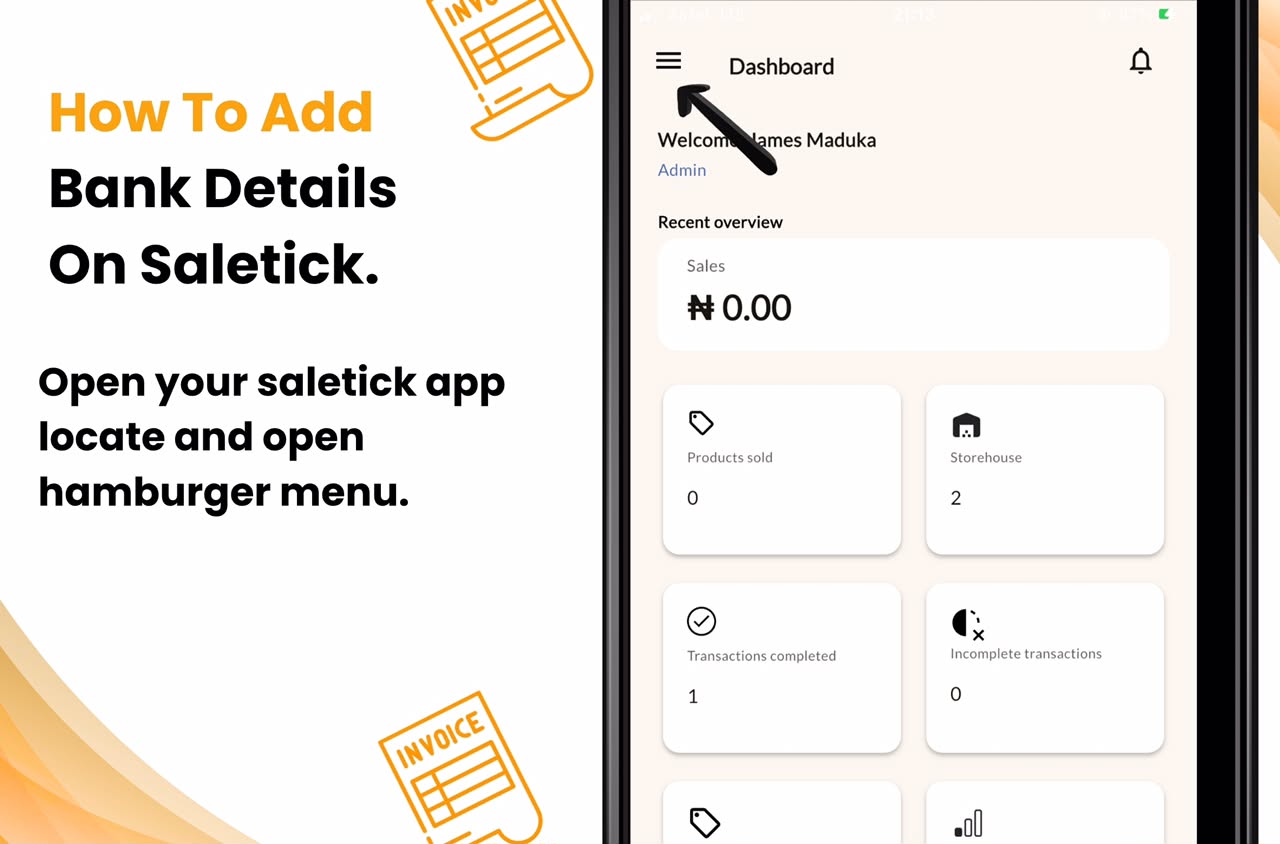
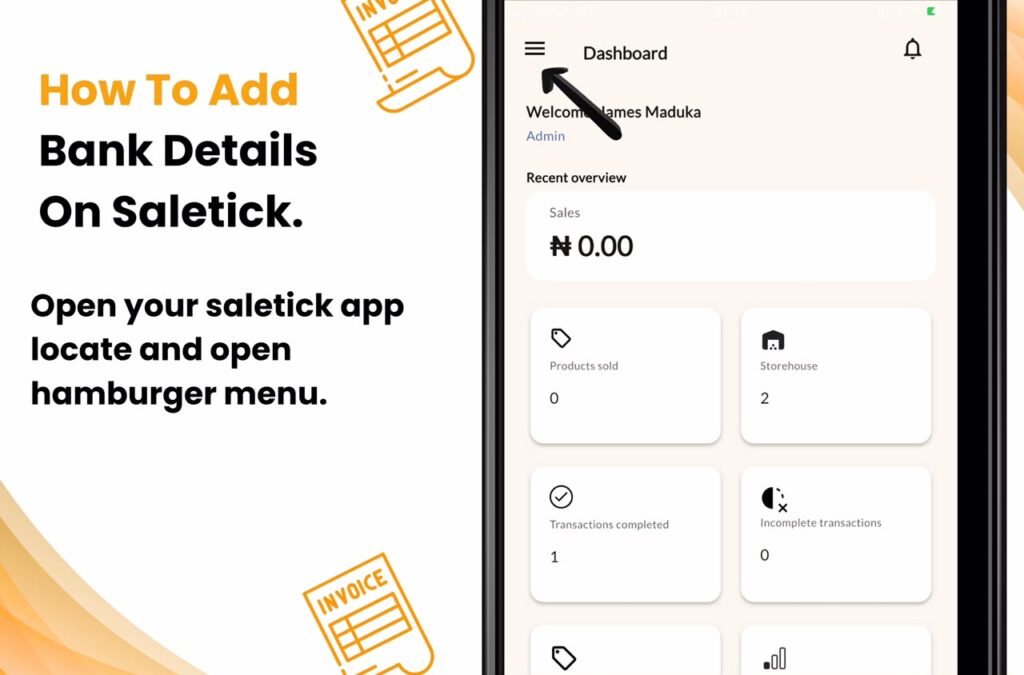
1. Open the SaleTick App on your device and locate the hamburger menu on the top left.
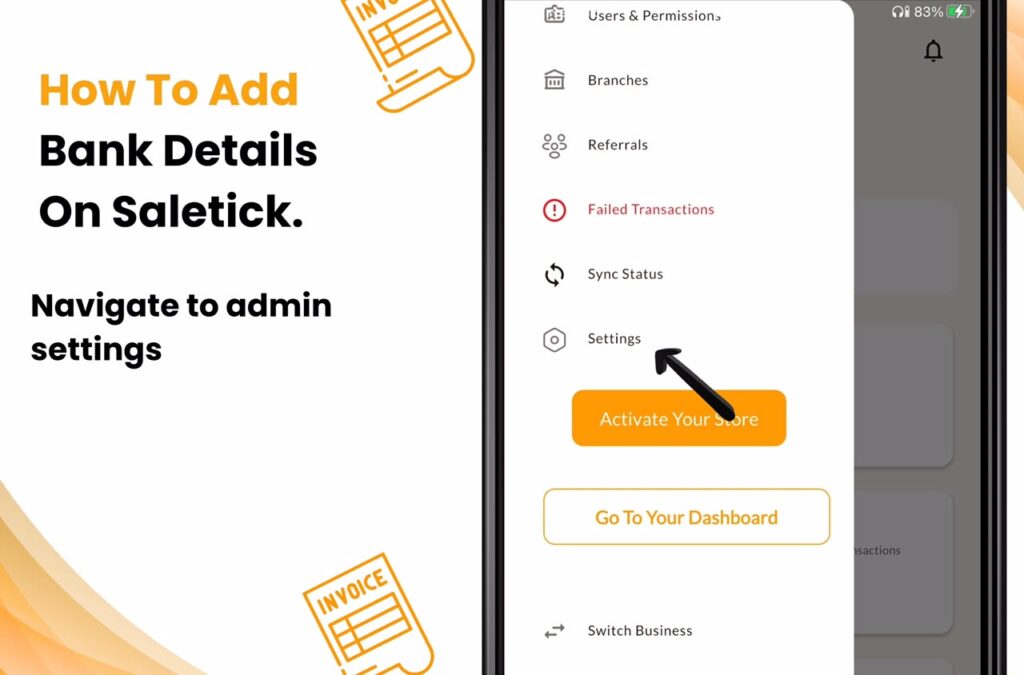
2. Navigate to Admin Settings: Tap on the hamburger menu to find your Settings area.
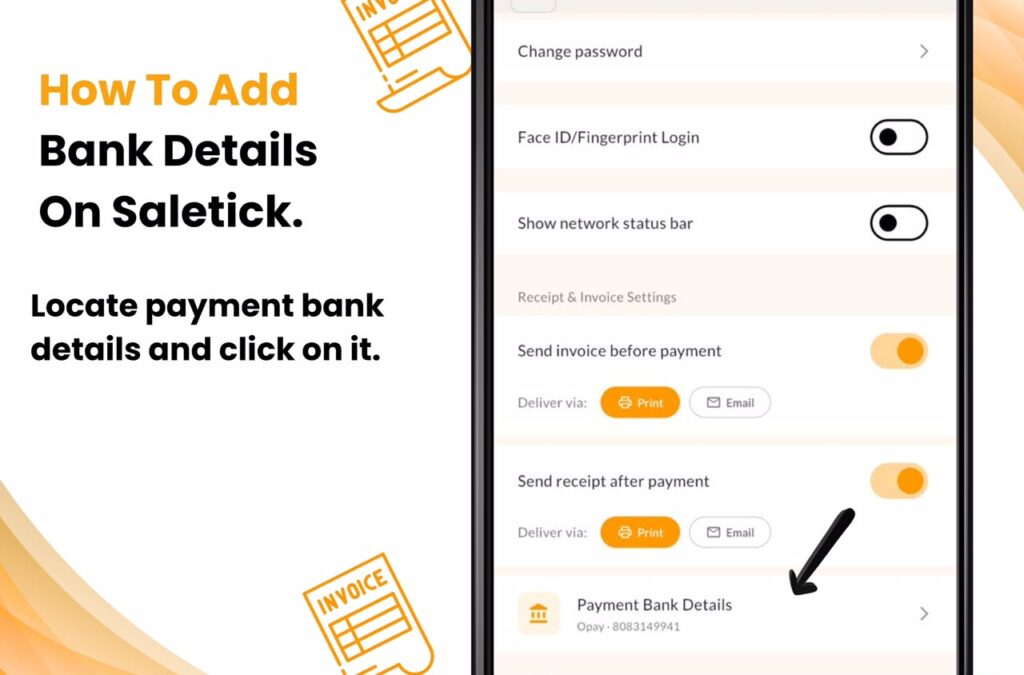
3. Locate Payment Bank Details: In Settings, You will see a clear section titled Payment Bank Details, click on it and a form will pop up
4. Enter Your Information: Fill in the fields for Bank Name, Account Number, and Account Name. Ensure every digit is correct.
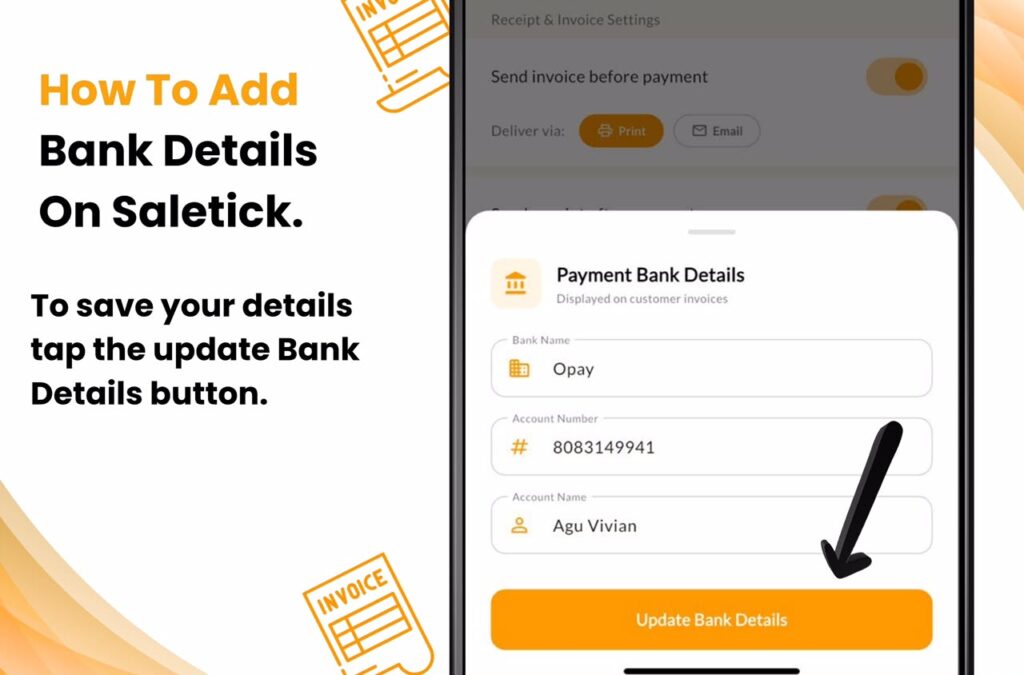
5. Update Your Details: Tap the Update Bank Details button to confirm your changes.
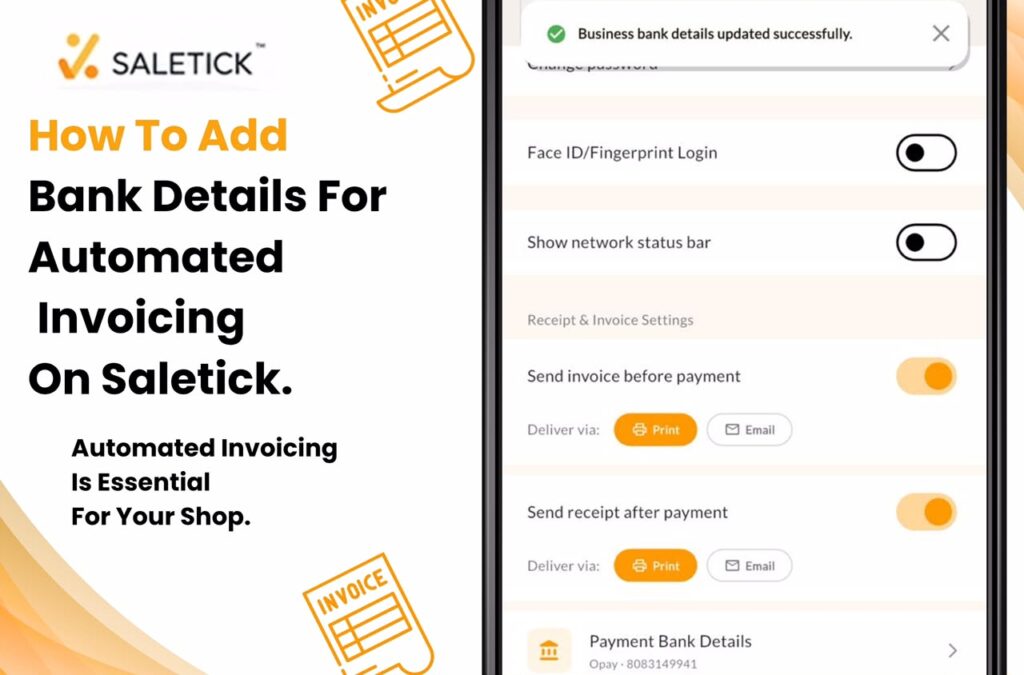
Once you have completed these steps, SaleTick will automatically include these details on every invoice you generate. You never have to type them out manually again.
Professionalism That Drives Growth
Your invoice is a reflection of your brand. When a customer receives a professional document that clearly states how to pay you, it builds confidence. It shows that you are organized and serious about your business. Whether you are running a pharmacy, a supermarket, or a boutique, this small change makes a massive difference in how your customers perceive your shop.
[Click Here To Watch The YouTube Video]
Take the Next Step
Stop letting manual processes slow you down. Technology is here to make your life easier, and SaleTick is built specifically to help Nigerian business owners like you succeed. By automating your invoicing, you are freeing up time to focus on what really matters, which is growing your sales and serving your customers better.
Ready to streamline your business?
Ensure your bank details are set up in your SaleTick account today. If you have not started using SaleTick yet, now is the time to join thousands of Nigerian SMEs who are already simplifying their operations.
Download SaleTick from the Google Play Store or Apple Store today and start invoicing like a pro.