In the Nigerian retail market, your receipt is more than just a piece of paper. It is a branding tool, a record of trust, and a professional requirement that separates serious businesses from casual sellers. Whether you run a busy supermarket in Lagos or a pharmacy in Kano, customers expect a clear, detailed document after every purchase. If you are still writing receipts by hand or using generic templates that do not reflect your business identity, you are missing a massive opportunity to build credibility.
Configuring your checkout receipts and invoices on SaleTick is the fastest way to professionalize your customer interactions. It ensures that every transaction is documented accurately, branded correctly, and delivered instantly.
Why Customizing Your Receipts Matters
A well-configured receipt does three things for your business. First, it provides clarity. When a customer sees their items, prices, and your business contact details clearly listed, they have no reason to doubt the transaction. Second, it acts as a marketing asset. Including your business name and contact information ensures that customers know exactly how to reach you for repeat business. Third, it saves you time. By automating the process, you eliminate the need for manual calculations and handwriting, allowing you to serve more customers in less time.
How to Configure Receipts and Invoices on SaleTick
SaleTick makes it simple to set up your documents so they look exactly how you want them. This feature is only available for Administrator Account. Follow these steps to configure your checkout settings:
1. Open the SaleTick App: Log in to your business account.
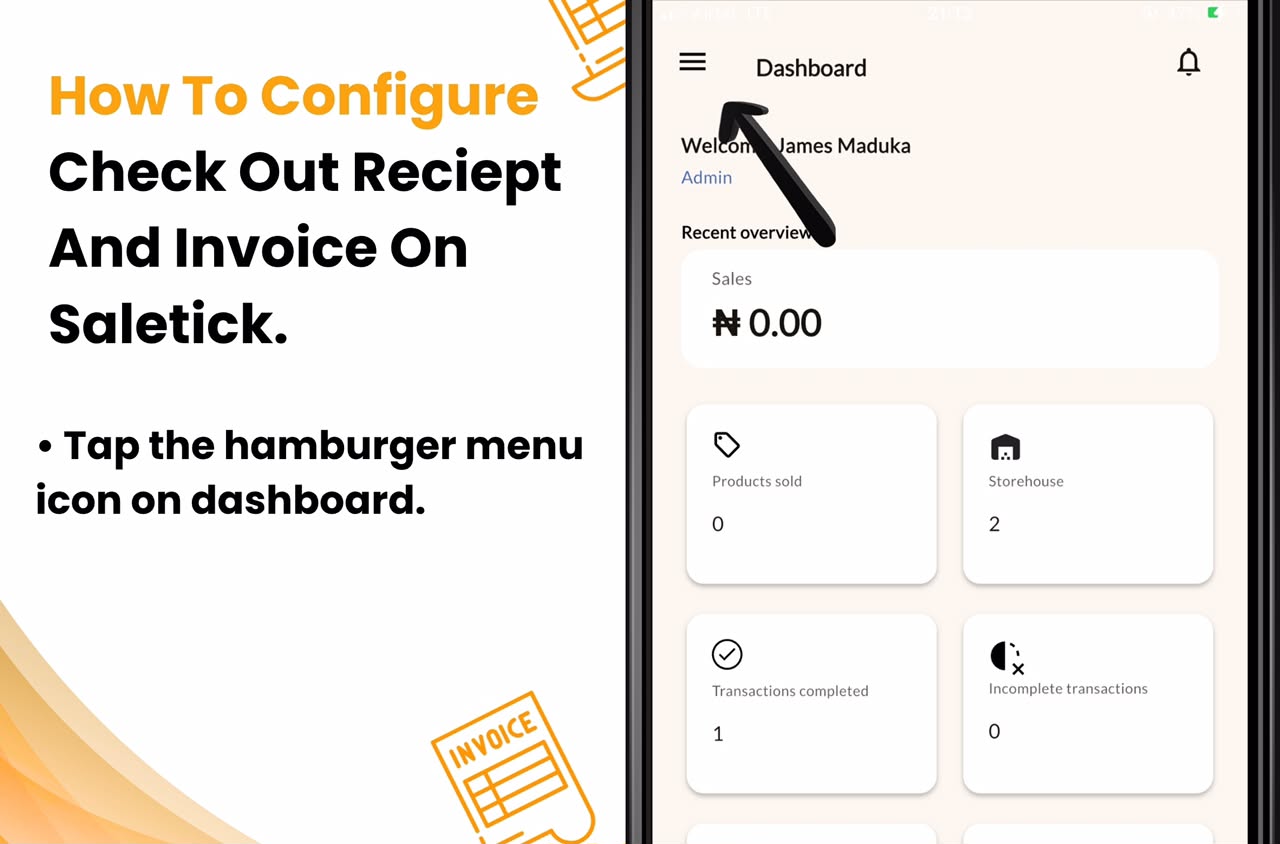
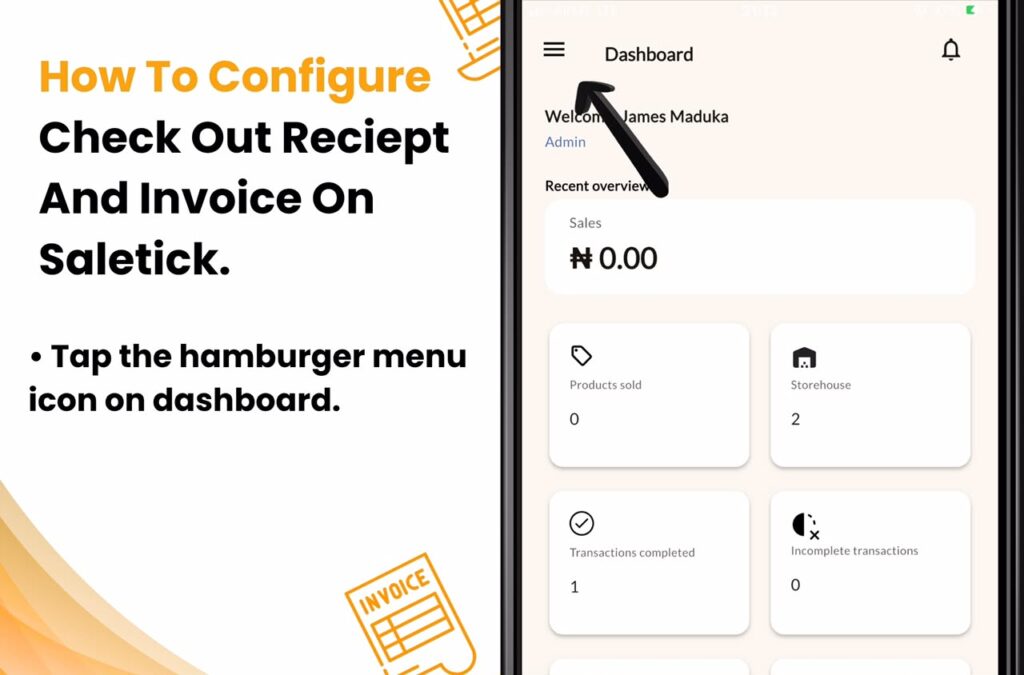
2. Access the Menu: Tap the hamburger menu icon on your dashboard.
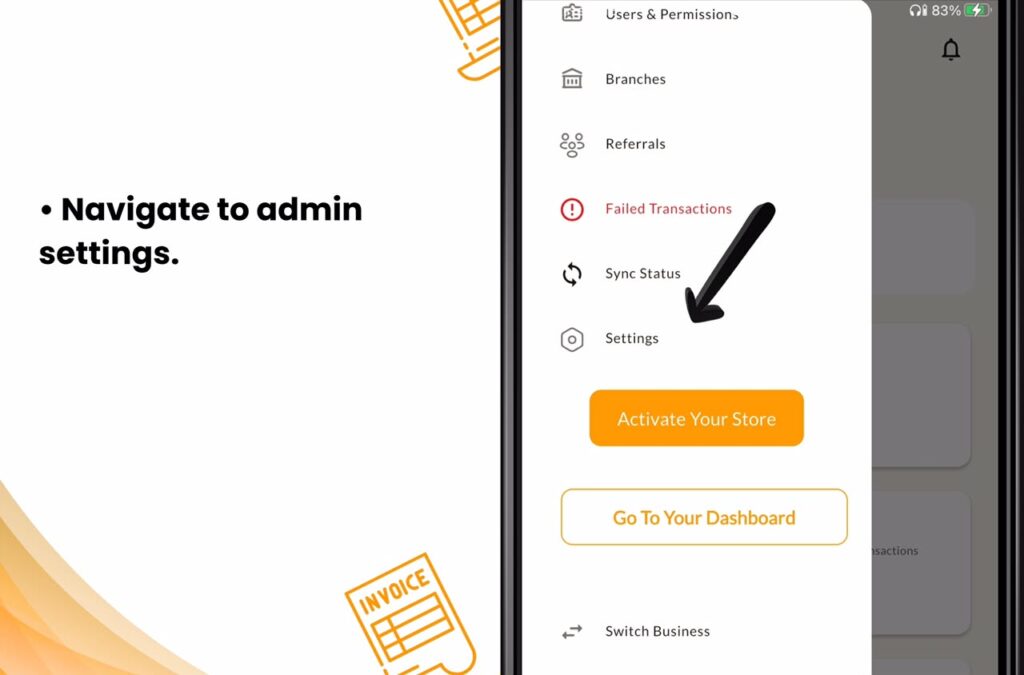
3. Navigate to Admin Settings: Select Admin Settings from the hamburger menu option.
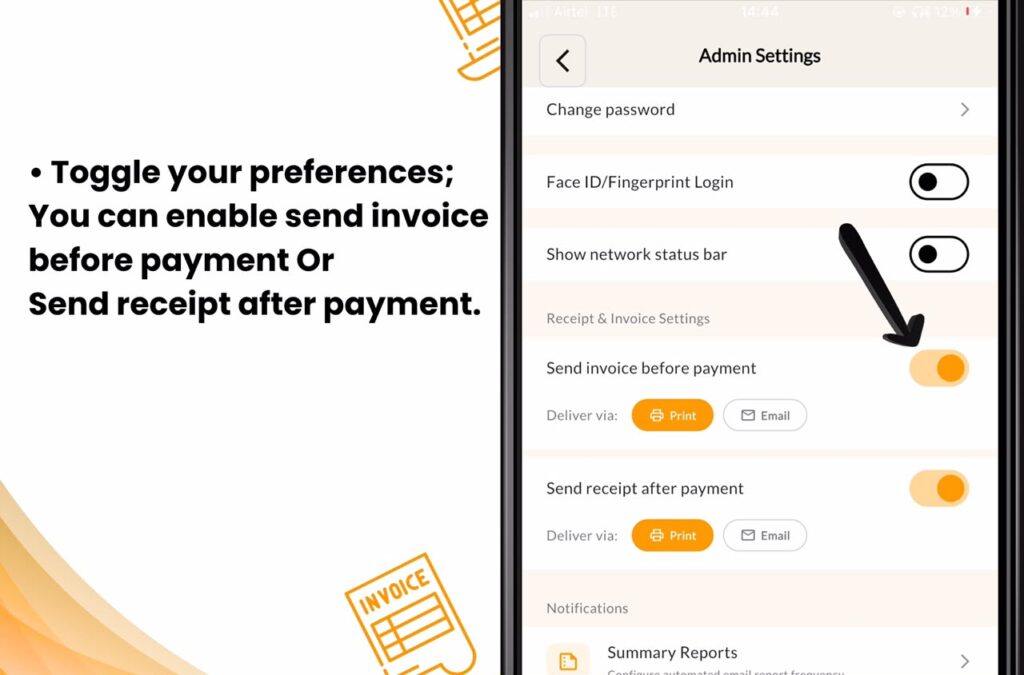
4. Locate Receipt & Invoice Settings: Scroll down to the section labeled Receipt & Invoice Settings.
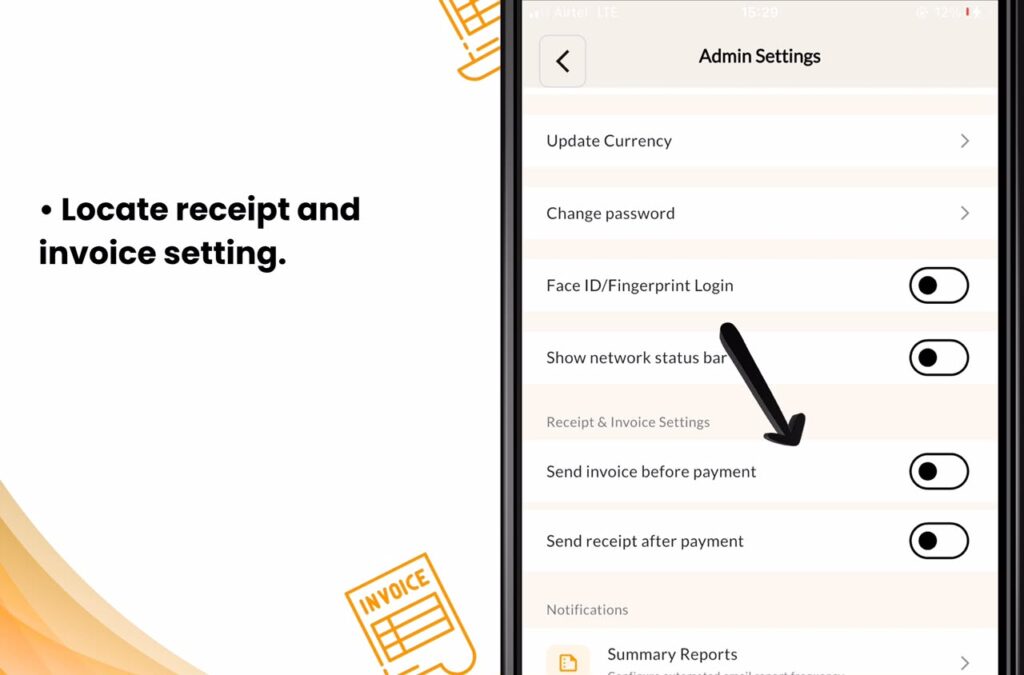
5. Toggle Your Preferences: You can enable Send invoice before payment and Send receipt after payment by toggling the switches.
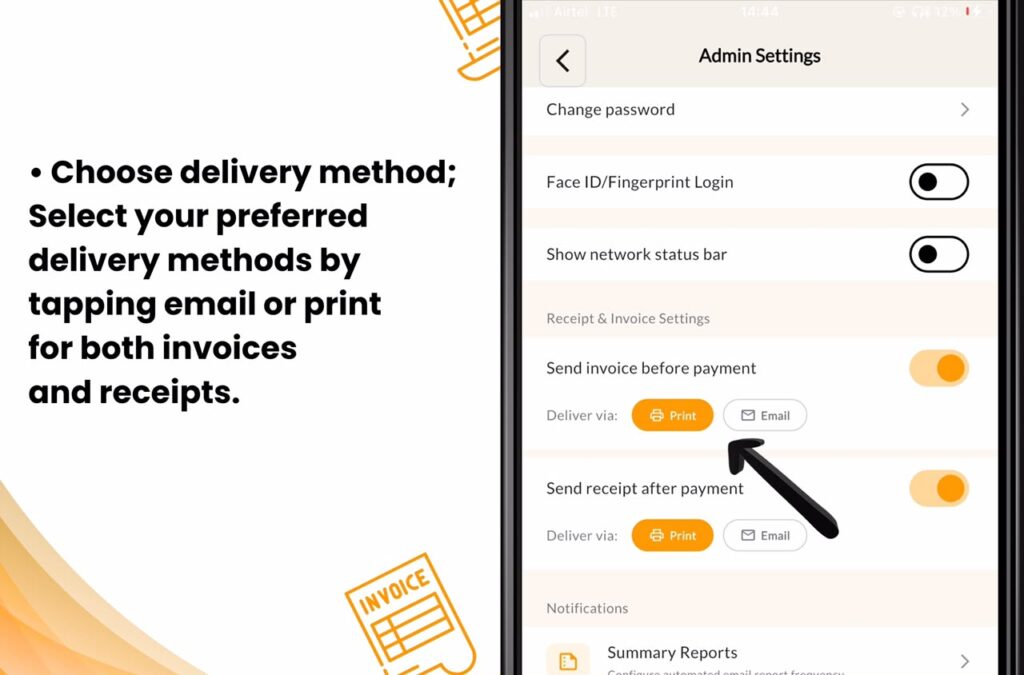
6. Choose Delivery Methods: Select your preferred delivery methods by tapping Print or Email for both invoices and receipts.
Once saved, every time you perform a checkout, SaleTick will generate a receipt or invoice that follows your exact configuration. You can then print these or send them directly to your customers via email.
Professionalism That Drives Repeat Sales
When you hand a customer a professional, printed, or digital receipt, you are telling them that your business is organized. This level of professionalism is what turns a one-time buyer into a loyal customer. It removes the guesswork from the payment process and provides a clear audit trail for your own records, making it easier to track your daily revenue and manage your inventory.
[Click Here To Watch YouTube Video]
Take Control of Your Business Documentation
Stop relying on outdated methods that slow down your checkout process. Your business deserves a system that works as hard as you do. SaleTick is designed specifically to help Nigerian SMEs streamline their operations, from inventory management to professional invoicing.
Ready to upgrade your checkout experience?
Take the first step toward a more efficient and professional business. Configure your receipts and invoices on SaleTick today and see the difference it makes in your daily operations. If you are not using SaleTick yet, join the thousands of business owners who are already scaling their success. Download SaleTick today and start invoicing like a pro.