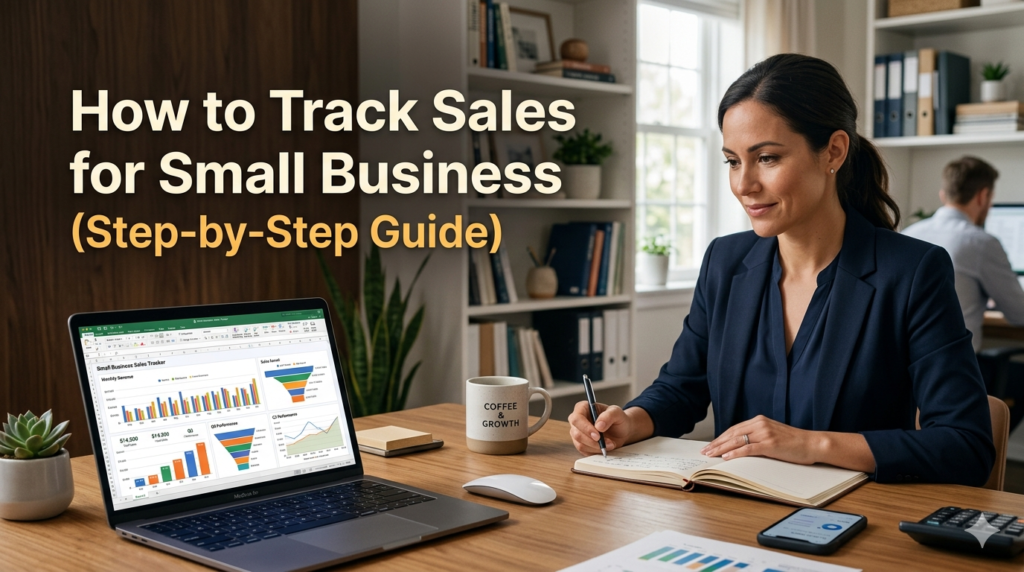
If you don’t track your sales properly, you’re not running a business; you’re guessing.
Most small business owners don’t have a sales problem.
They have a visibility problem.
They don’t know:
- What’s selling
- Where revenue is coming from
- Which customers bring the most value
So decisions become emotional instead of strategic.
This guide will show you exactly how to track your sales step-by-step and effectively Track Sales, even if you’re starting from scratch.
Understand What You Actually Need to Track #
Before tools, before spreadsheets, you need clarity.
At a minimum, your sales tracking system should capture:
- Date of sale
- Product or service sold
- Amount (revenue)
- Customer name or identifier
- Payment method
- Sales channel (WhatsApp, Instagram, website, etc.)
Most people skip this thinking stage and jump into tools, which is why their systems fail.
If you track the wrong data, your reports will be useless.
Start With a Simple Sales Tracking Method #
At the early stage, complexity is your enemy.
You have three practical options:
1. Notebook (Manual) #
- Works if the volume is very low
- Not scalable
- High risk of errors
2. Spreadsheet (Recommended Starting Point) #
- Google Sheets or Excel
- Easy to organize
- Can calculate totals automatically
3. Sales Tracking Tool (Best Long-Term) #
- Automates data capture
- Reduces human error
- Gives insights instantly
Most small businesses start with spreadsheets, but they quickly hit limitations.
Create a Simple Sales Tracking System #
If you’re using a spreadsheet, structure it like this:
Date Customers Products Amount Channel Payment Method
Then add:
- Daily total
- Weekly total
- Monthly total
This gives you basic visibility.
But here’s where most people fail:
They track data… but don’t use it.
Turn Data Into Insights #
Tracking sales is useless if you don’t interpret them.
At the end of each week, ask:
- Which product sold the most?
- Which channel brought the most revenue?
- Which day had the highest sales?
- Where are sales dropping?
This is how you move from recording → decision-making.
Identify When You Need to Upgrade
Spreadsheets break when:
- You forgot to update them
- Your sales volume increases
- You need faster insights
- You start managing customers
This is the critical transition point.
Most businesses stay stuck here too long, and it costs them growth.
Use a System That Tracks Sales Automatically #
Instead of manually entering everything, a proper system:
- Records every sale automatically
- Organizes customers
- Tracks revenue in real-time
- Shows performance across channels
This removes friction and gives you clarity instantly.
Best Sales Tracking Tools for Small Businesses #
These are some commonly used tools:
- Spreadsheets (Google Sheets, Excel) – good for beginners
- CRM systems – powerful but often complex
- Dedicated sales tracking tools – balanced solution
But here’s the key difference:
Most tools force you to adapt to them.
The best systems adapt to how you already run your business.
The Smarter Upgrade: A Simple, Powerful Sales Tracking System #
Instead of juggling spreadsheets or complicated software, modern tools now combine:
- Sales tracking
- Customer management
- Simple reporting
In one place.
This is where tools like Saletick stand out.
Why Saletick Is the Easiest Upgrade #
If you’ve outgrown spreadsheets but don’t want complex systems, Saletick offers a practical middle ground.
With Saletick, you can:
- Track all your sales in one place
- Automatically organise your data
- Monitor performance without manual calculations
- Manage customers alongside your sales
Most importantly:
It removes the friction.
You don’t need technical skills.
You don’t need setup complexity.
You start tracking and improving.
When Should You Upgrade Your Sales Tracking System? #
You should move beyond spreadsheets if:
- You’re making daily sales
- You struggle to keep records updated
- You don’t have clear insights into performance
- You want to grow faster and make better decisions
If any of these apply, staying manual is costing you money.
Final Thoughts #
Sales tracking is not optional.
It’s the difference between:
- Hoping your business grows
- And knowing exactly how it grows
Start simple, but don’t stay manual for too long.
Free Sales Tracker Template #
To help you get started quickly, use this simple sales tracking template:
👉 Download the Free Sales Tracker Template, Upgrade to automated tracking with Saletick.


